Time tracking · Terminals
Time clock terminal software built for sites with a bad connection
Soft TLS Time turns an Android phone or tablet into a time clock terminal that keeps working offline. The Soft-TLS mobile app (Android) and manual entries with approval cover everyone else, and your payroll reads one ledger.
The problem today
A paper timesheet records what was written down, not who was on site
Two lists that never match
Who was on site and what was booked are reconciled by hand at month end. Every mismatch becomes a discussion.
A weak signal becomes a payroll dispute
Sites have poor coverage. A clock-in that is sent twice, or not at all, surfaces weeks later as a wrong payslip.
A badge alone proves little
Cards get lent and clock-outs get forgotten. Nobody notices until the monthly summary is wrong.
Terminals and attendance tracking
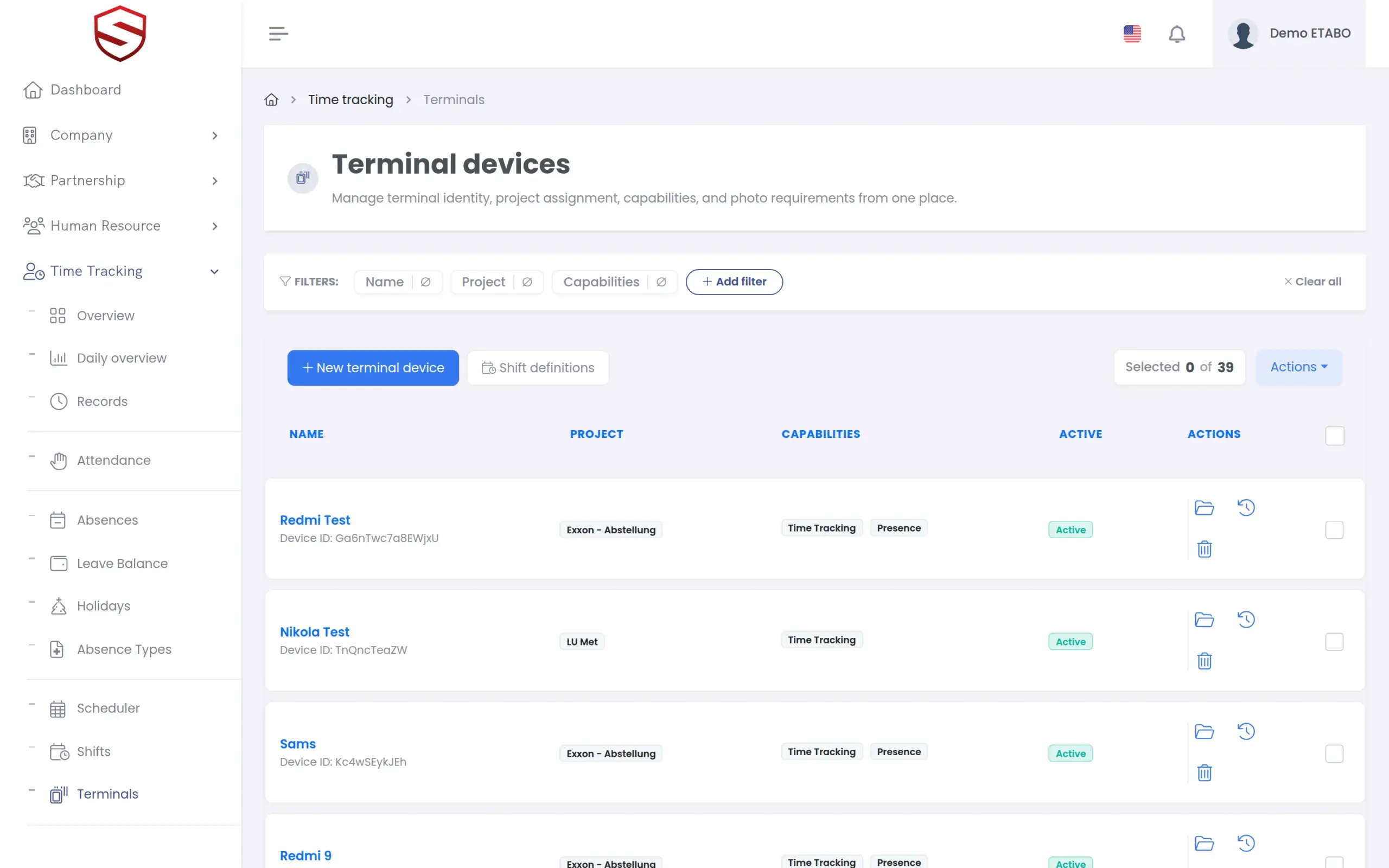
QR and RFID terminals that keep working when the connection drops
Register each Soft TLS Time (Android) terminal with its project, its capabilities and its photo policy. It reads the personal QR code from the employee file or an RFID card, works offline and sends the events when the connection returns, without double bookings. The GPS location of each clock event is recorded with it.
- Identification by personal QR code or RFID card
- Photo capture at check-in and check-out, set per terminal
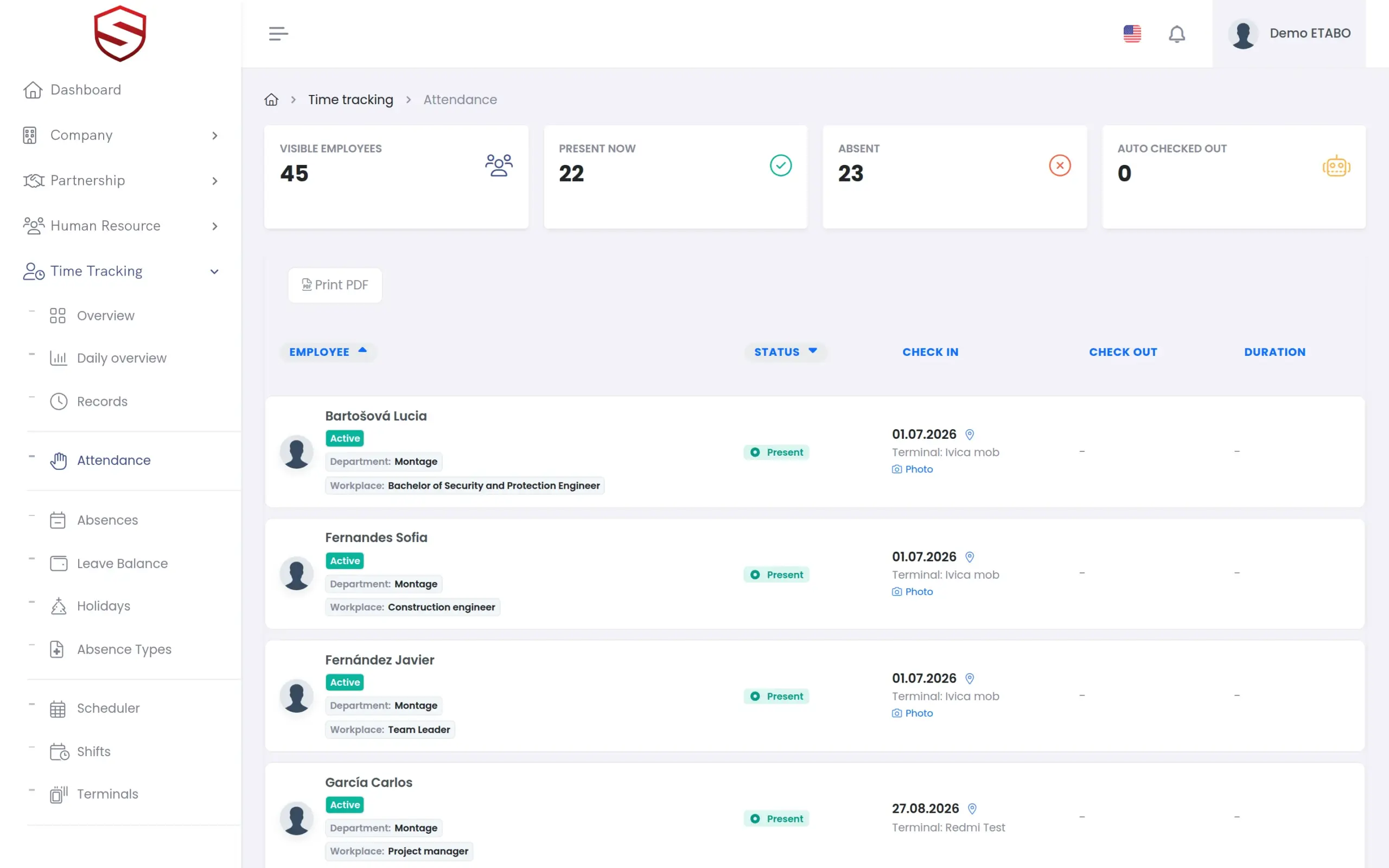
- Attendance board with “Present now”, “Absent” and “Auto checked out”
- Earlier terminal API versions stay supported for deployed devices
Phone and manual entries
Phone clock-ins and manual entries, in the same ledger as the terminal
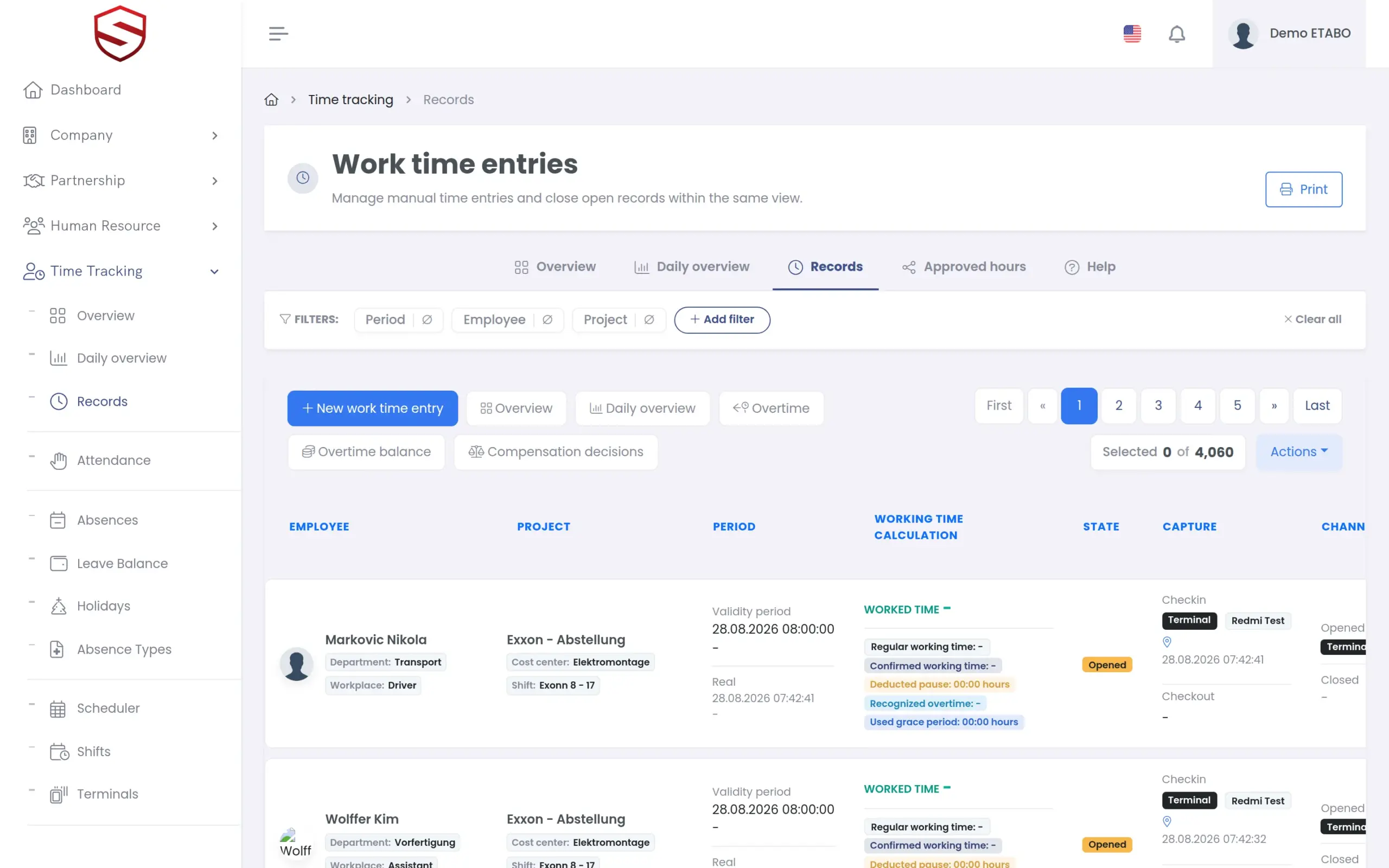
Not every hour passes a terminal. Workers who move between sites clock in and out in the Soft-TLS mobile app (Android), which opens the same application on their own phone. Other exceptions become manual work time entries with pauses and evidence, once or repeated until an end date. Each entry is approved or rejected, singly or in a batch, then closed. HR and payroll read one ledger, whatever the capture source.
- Repeat creation: one entry per day until the end date, overlaps skipped
- Approve, reject, close and invalidate, single or in a batch
- Business trip data: distance, transport mode, travel direction and per diem
- Dispatch of approved hours to cost centers and projects
What terminals and attendance include
- Soft TLS Time terminal app (Android) with offline operation
- Terminal devices per company and project, with capabilities
- Personal QR code or RFID card for identification
- Soft TLS Time presence records with terminal, photo and GPS location
- Clock-in and clock-out in the Soft-TLS mobile app (Android)
- Manual work time entries with approval
- Contractor and investor scope for partner workers
- Daily, period and yearly PDF summaries
- Sync console to retry background synchronization
Works together with
Time tracking
Terminal entries feed the same module that handles overtime, scheduling, absences and holidays.
Absence and leave management
Absences appear in the work time daily summary, so planners see who is off.
Site daily log
The construction daily log pulls the closed time tracking hours of the day with “Auto calculate” instead of retyping them.
Frequently asked questions
What hardware do the terminals need?
An Android phone or tablet running Soft TLS Time is the terminal. It reads the personal QR code or the RFID card of each worker and takes a photo where the terminal requires one.
What happens when a terminal loses its connection?
Soft TLS Time keeps working offline and sends the events when the connection returns. Every action carries its own event ID. If the same action arrives twice, the server returns the stored response instead of booking it again.
Can workers clock in from their own phone?
Yes. A worker can clock in and out on their own phone in the Soft-TLS mobile app (Android), or in a browser with their own account. Both show the same screens. Unlike the terminal app, they need a connection.
What happens when someone forgets to clock out?
An open presence record is checked out automatically and carries the “Auto checked out” flag on the attendance board, so you can find and review it.
How do the hours reach payroll?
Terminal, phone and manual entries land in one ledger. Approved hours are dispatched to cost centers and projects, and summaries are printed as PDF per day, period or year.