Time tracking · Absences and leave
Absence and leave management software that replaces the spreadsheet of remaining days
Employees request time off and see their own balance. HR defines absence types, decides which requests approve themselves, and keeps a leave balance per employee and year that explains every day it contains.
The problem today
How many days are left? The answer depends on whose spreadsheet you open
Balances live in a spreadsheet
Entitlement, carried-over days and corrections sit in one file that one person understands. Every question becomes a recalculation.
Requests travel by message
A request by phone, chat or paper leaves no trace of who approved it and why. Disputes are settled from memory.
Planners find out too late
A crew is scheduled, then someone turns out to be on leave. The absence was approved, but the plan never saw it.
Absence types
Approval rules per absence type, not one process for everything
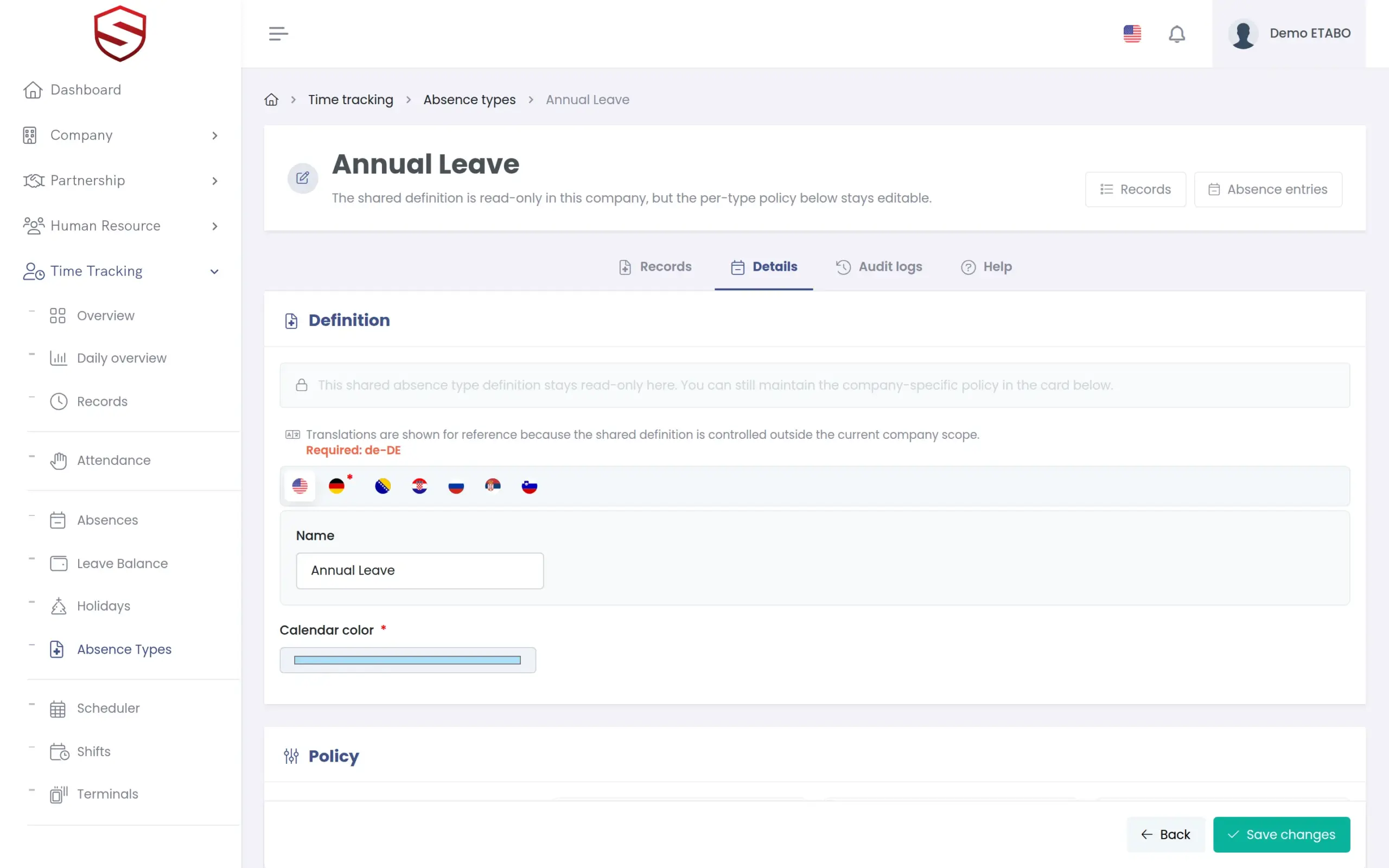
A medical appointment and three weeks of annual leave do not need the same process. For each absence type you choose whether requests are approved automatically or sent for review, whether approved days are deducted from the leave balance, and whether a supporting document is required, optional or not allowed. Reviewers approve or reject, requesters can withdraw, admins can invalidate, and every decision is stored with its reason.
- Automatic approval or review, set per absence type
- Balance deduction switched on or off per type
- Supporting document required, optional or not allowed
- Global absence types that each company can adapt
Requests and balance
Employees request time off, and the balance explains every day
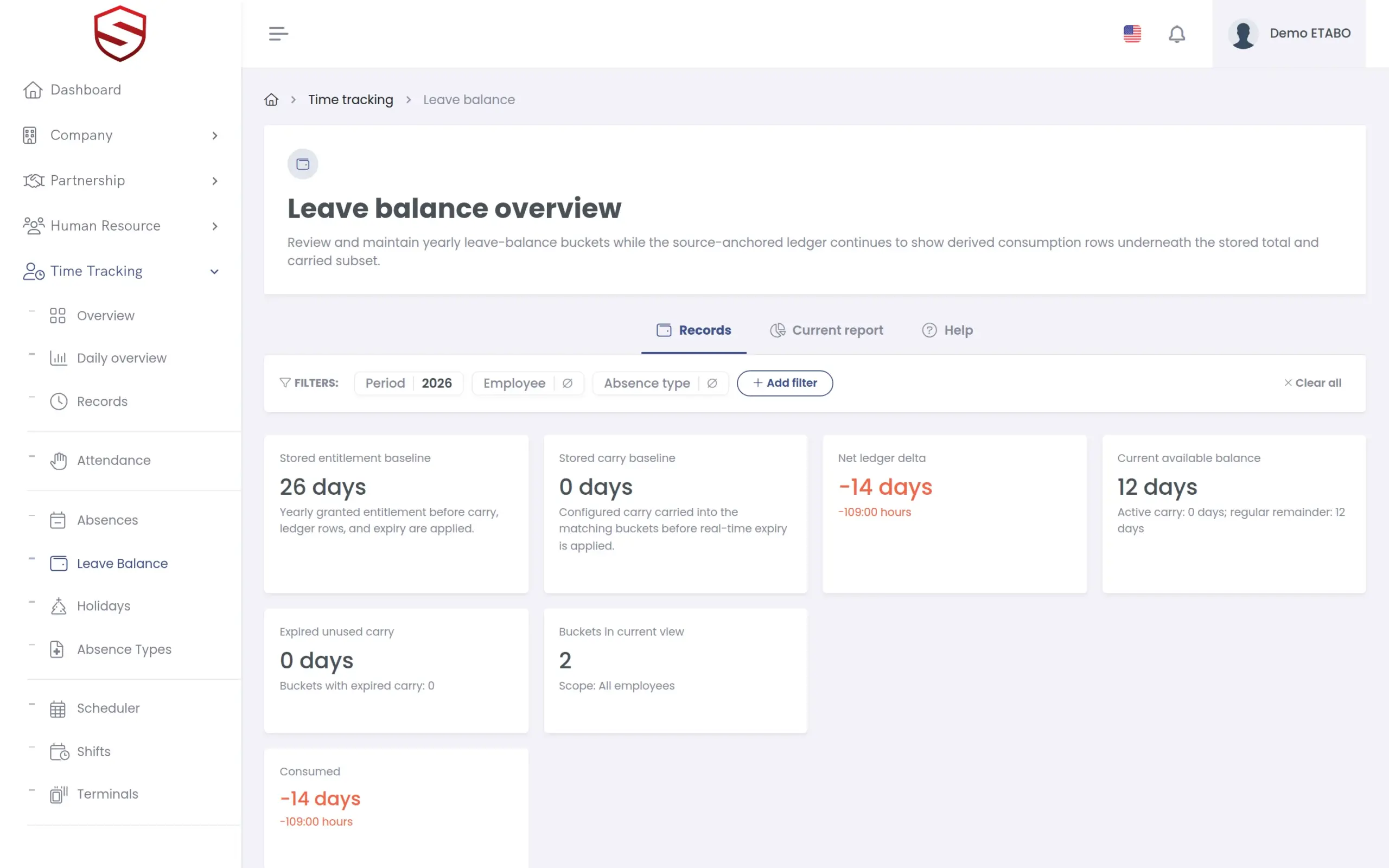
Employees open “Request absence”, pick a type and a period, for full days or part of a day, and add the reason. An approved request that affects the balance posts a consumed entry to the bucket of that employee and year. Buckets show entitlement, carried-over, reserved and consumed days separately, and carried-over days can expire on a date you set.
- “My requests”, “My leave balance” and “My summary” for every employee
- Buckets seeded with entitlement and carried-over days
- Manual adjustments and reversals instead of silent edits
- “Ledger timeline” with every entry of a bucket
What absence and leave management includes
- Absence types with definition, policy and administration
- “Request absence” with type, period, reason and document
- Approve, reject, withdraw and invalidate with reasons
- Absence entries created by an admin for an employee
- Leave balance buckets per employee and year
- Carry-over with expiry
- Shared holiday definitions with company visibility and weekend carry rules
- Absence duration that can skip flagged holidays
- Named audit events for requests, types and balance entries
- In-app guide “Absence, leave balance and holidays guide” in five languages
Works together with
Time tracking
Absences appear in the work time daily summary and in the schedule plan comparison, so planners see who is off before they assign a crew.
Time clock terminals
Terminal clock-ins and approved absences meet in the same daily summary.
HR documents and certificates
Absence requests and the leave balance sit on the same employee record as certificates, contracts and other HR documents.
Frequently asked questions
How do carry-over rules work?
A new yearly bucket starts with the entitlement and any carried-over days. You can give carried-over days an expiry date. After that date the balance shows the unused carried days as expired.
Can a correction push a balance below zero?
Not through a reversal. The form states the rule: “Reversal removes balance and is rejected when it would drive the bucket below zero.” Every adjustment and reversal appears in the ledger timeline and in the audit trail.
Does Soft-TLS apply the statutory leave rules of our country?
No. Soft-TLS applies the rules you configure: absence types, entitlement, carry-over, expiry and holidays. It does not ship legal leave entitlements per country, so your HR team stays responsible for the values.
Can employees request leave from their phone?
Yes. The Soft-TLS mobile app (Android) opens the same application on the phone, so “Request absence”, “My requests” and “My leave balance” are the same screens as in the browser.
Who can see and do what?
Employees see their own requests, balance and summary. Reviewers approve or reject. Admins can create or correct an entry for an employee and invalidate it. Each action is a named event in the audit trail.