Projects · Site daily log
Construction daily log software for a site diary both sides sign
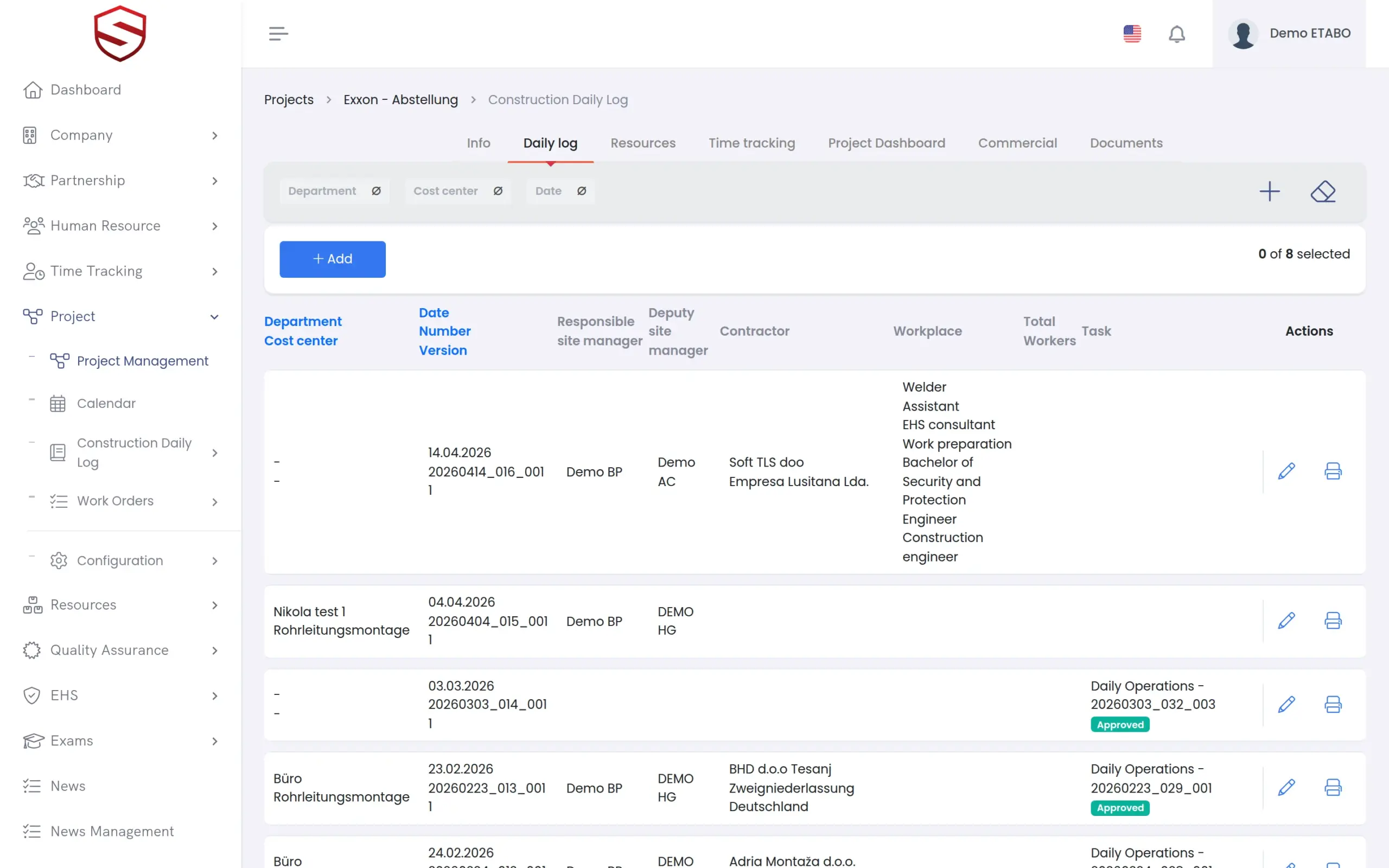
For site managers and foremen. One dated log per project holds the weather, workforce, contractors, equipment, deliveries and waiting times. Hours come from closed time tracking. A responsible manager reviews each task, and site manager and client sign the day.
The problem today
The site diary is written on Friday, from memory, and signed by nobody
Written late, from memory
The log is filled in at the end of the week, when the details are gone. The days that matter in a delay claim are the thin ones.
Hours are typed twice
Your workers already clock in somewhere else. Someone copies the hours into the log by hand, and the two records never quite agree.
Corrections erase the original
A paper page or a spreadsheet row is fixed by overwriting it. Afterwards nobody can say what the log said on the day it was signed.
The daily record
One dated entry holds the weather, the people, the deliveries and the waiting
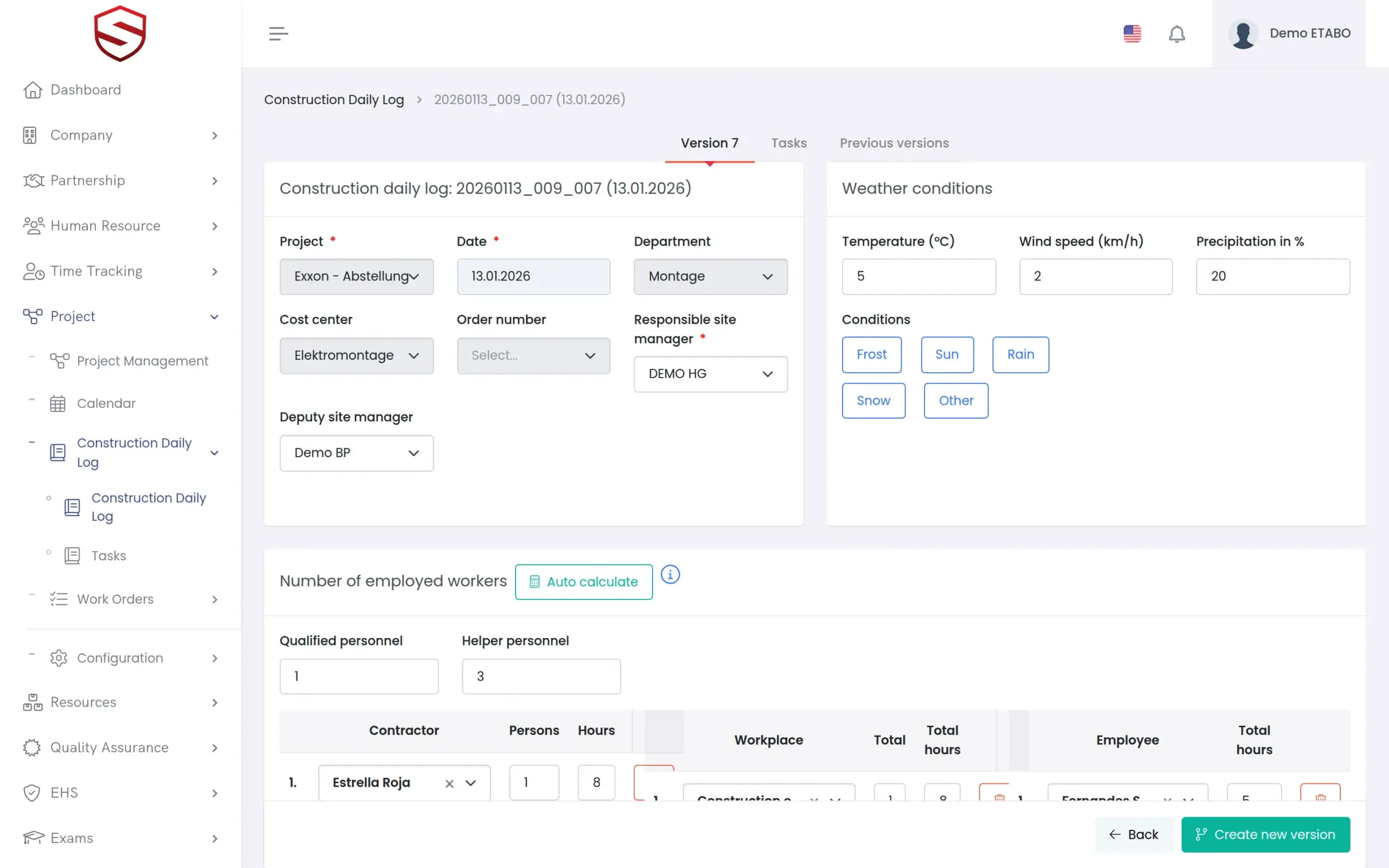
Create the entry for a work date and name the responsible site manager, a deputy and the investor. Add safety notes, special occurrences, contractors with headcount, equipment, material deliveries and workplaces. Waiting time is recorded separately for people, equipment and material, each with its reason. Entries and task approvals can be done on site, on the phone in the Soft-TLS mobile app (Android) or in any browser.
- Weather block: temperature, precipitation, frost, sun, rain, snow and other conditions
- “Auto calculate” takes the day’s hours from closed time tracking, so nobody retypes them
- Task types and task fields set up per company: text, long text, number, date and checkbox
- Section, field and task type labels can be translated per language
Review and sign-off
Each task is approved or rejected, and a correction never erases the original
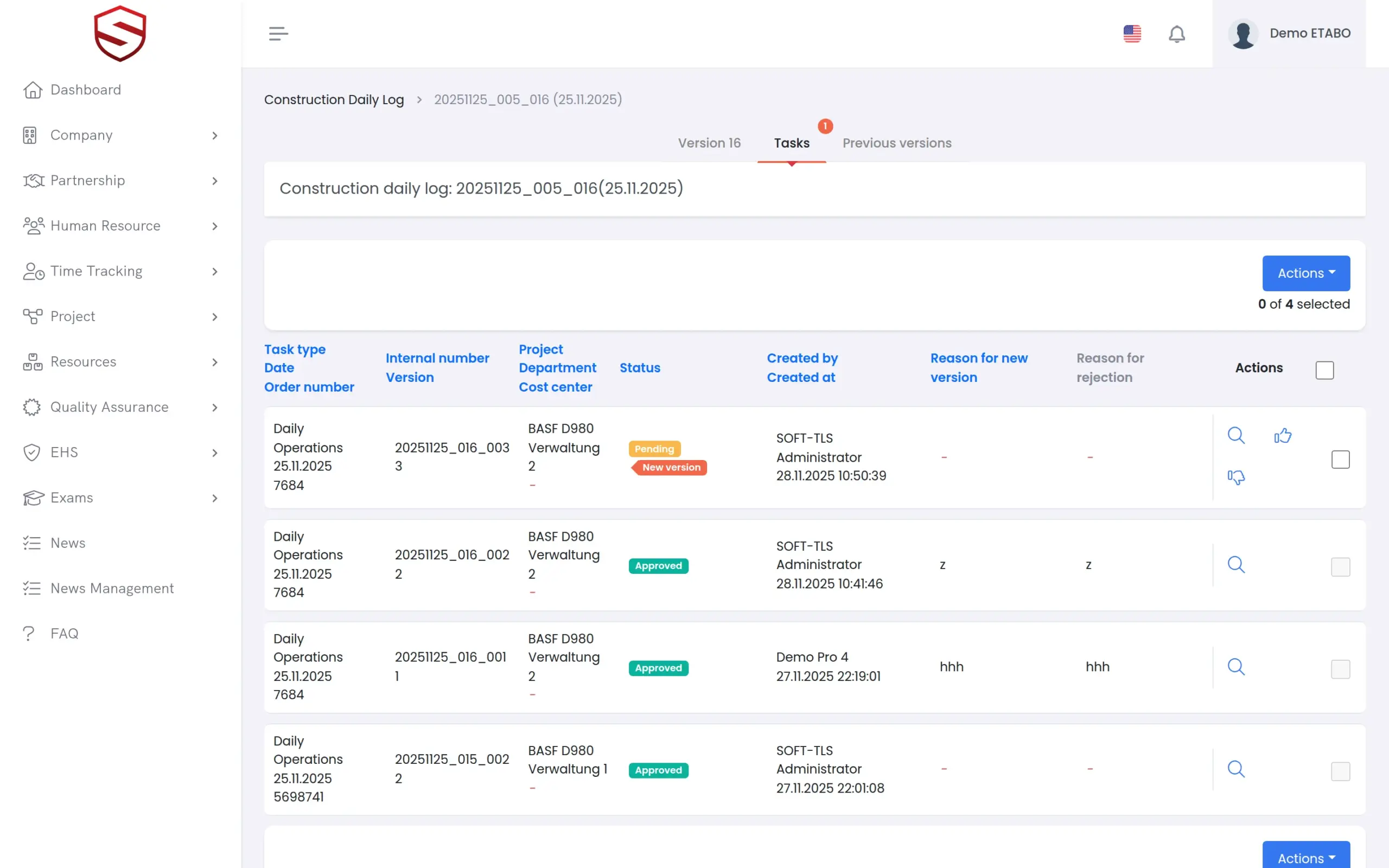
Work done is recorded as tasks under a task type, with your own fields and attached documents. The responsible manager approves or rejects each task and can approve several in one batch. A rejection needs a reason, and the reviewer and time are stored. A correction creates a new version, and previous versions stay readable.
- Every task is pending, approved or rejected, with a “Reason to reject”
- “New version” for corrections, with “Previous versions” per log and per task
- “Signature of site manager” and “Signature of client” in the application
- Or “Upload signed construction daily log” for a copy signed on paper
- PDF for a work date or for a single task
What the site daily log includes
- One log per project and work date
- Weather, safety notes and special occurrences
- Contractors, equipment, materials and workplaces
- Waiting times with reasons
- Hours calculated from closed time tracking
- Configurable task types and task fields
- Approve, reject and batch approve
- Versions of logs and tasks
- Two signatures or an uploaded signed copy
- PDF per work date or task
Works together with
Projects
The daily log lives inside the project, next to its people, resources, documents and work orders.
Work order management
The record of the job next to the record of the day: planned quantities, progress ledgers and approval for quantity overruns.
Time tracking
Closed time tracking is the source of the hours in the daily log, so nobody retypes them.
Frequently asked questions
Is a digital daily log accepted instead of the paper site diary?
That depends on your contract and the rules where you build, so agree it with your client first. Soft-TLS supports both routes: both sign in the application, or you print the day, sign on paper and upload the “Signed construction daily log”.
Where do the hours come from?
From time tracking. “Auto calculate” counts only the closed time tracking for that date, so open entries are left out. Close the day in time tracking first, then calculate.
What happens when a signed day needs a correction?
You create a new version. Earlier versions of the log and of each task stay available under “Previous versions”, so you can show what the record said before.
Can we see who changed or approved an entry?
Each log stores who created it and who changed it last. Each task decision stores the reviewer, the time and the reason for a rejection. The version history completes the record.
How does the daily log relate to work orders?
Today they are separate records in the same project. The work order tracks the job, the daily log documents the day. On the roadmap: a daily log that draws directly on work order tasks, time tracking and equipment records. See work order management.