Equipment · Service intervals
Equipment maintenance tracking software that knows what is due, by date or by usage
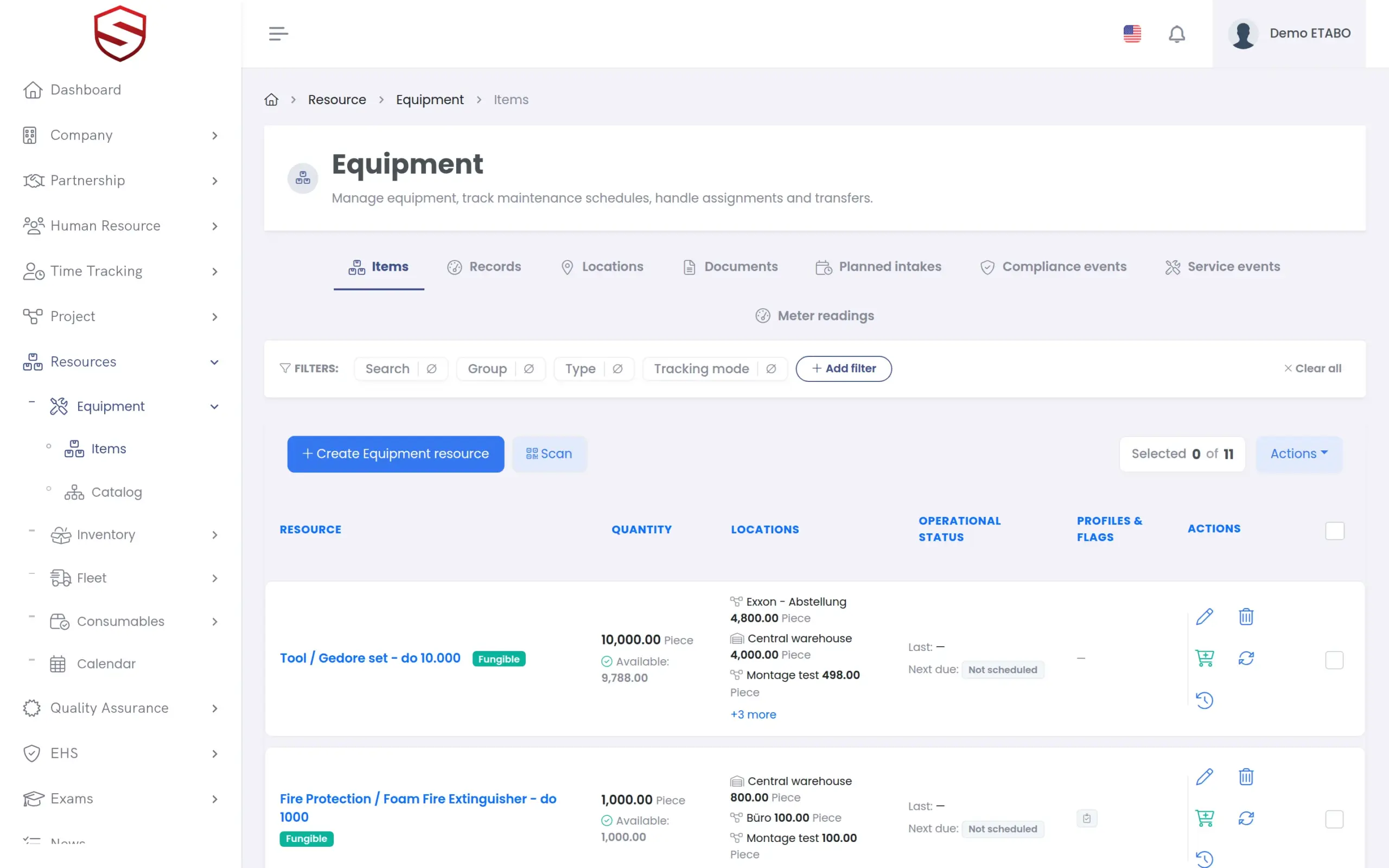
Meter readings, service events and inspections recorded as history for every tool, vehicle and machine. Fleet service intervals run by days, by meter value or both, and each item shows whether it is compliant, needs attention or is overdue.
The problem today
The inspection sticker and a spreadsheet are the only record of what is due
Dates and usage live in different places
The inspection is due every 6 months, the service every 5,000 km. One is on a sticker, the other in the head of the driver.
The latest reading overwrites the last one
A spreadsheet cell holds the newest meter value and nothing else. When a value looks wrong, there is no history to check it against.
One inspection day, one form per item
An inspector covers a whole batch in one visit. Someone then types the same report into every item, one by one.
History
Meter readings and service events that are never overwritten
Every meter reading is appended with its value, time and source. The form enforces the order: “Values must not go backwards from the previous reading for this meter.” An edit is recorded as a correction, and the reading history remains the authoritative record. Service events carry the date performed, provider, reference number and cost. A meter value entered on a service event is recorded in the meter history automatically.
- Append-only meter history with a source per reading
- Corrections instead of overwrites
- Due date and due meter value on the same service record
- Deleted readings and events can be restored

Intervals and status
Intervals by days, by meter or both, and a status nobody has to type
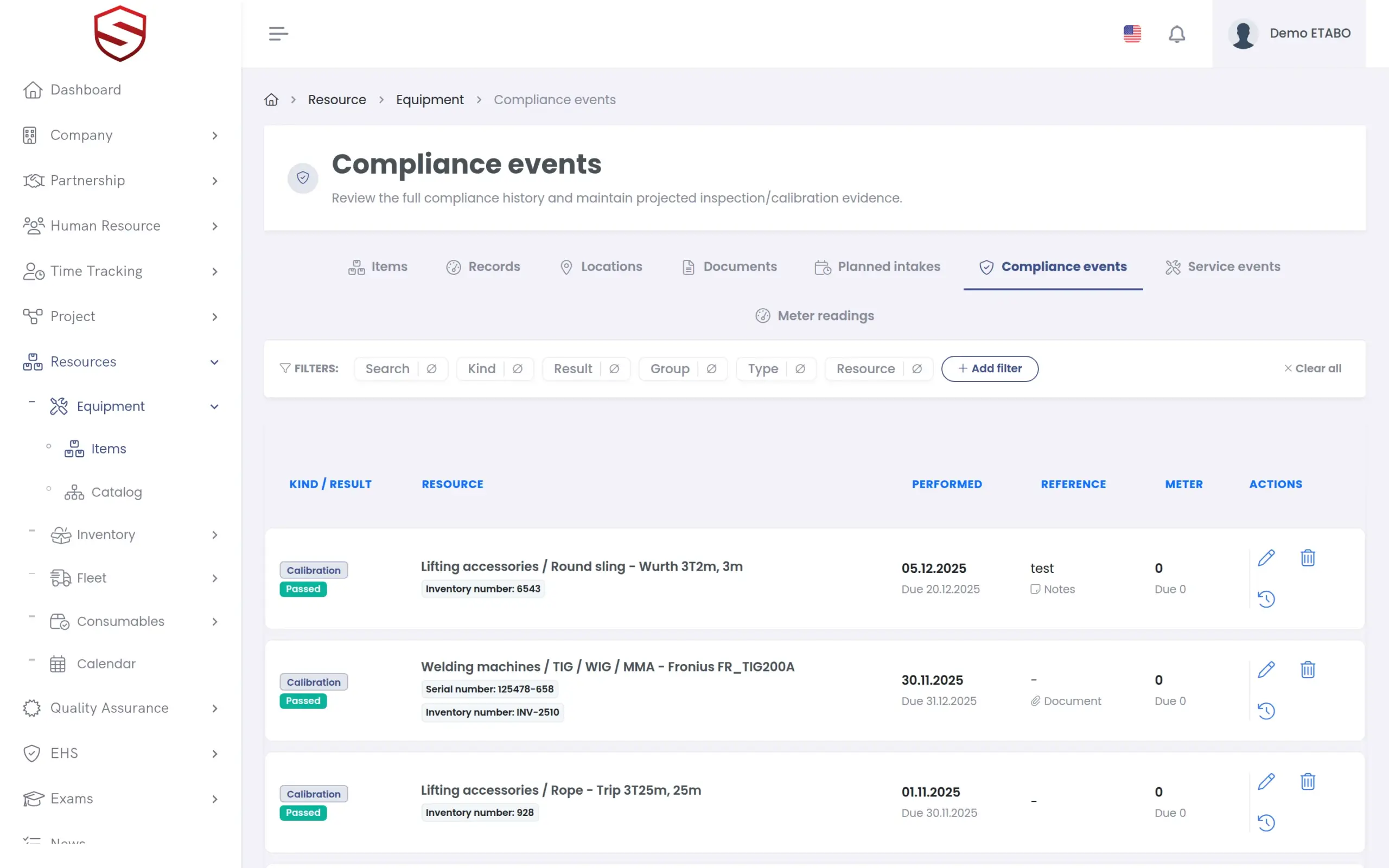
Each item has a compliance profile that says whether inspection and calibration are required, and at which interval: by days, by meter value or both. Compliance events record the actual inspection or calibration with the result passed, failed or conditional, the report number and the provider. Leave the due date empty and it is projected from the profile interval.
- Status “Compliant”, “Attention” or “Overdue” derived from the events
- Bulk entry: one compliance event for each checked eligible item
- Projected state rebuilt from the complete event history on save
- Due reminders in the app, by localized e-mail and as push notifications
What service interval tracking includes
- Meter readings with kind, value, time and source
- Service events with provider and cost
- Compliance profile per item for inspection and calibration
- Compliance events with result and report number
- Bulk compliance events, one for each checked eligible item
- Reminders for inspection, calibration and service
- Due-date calendar across all items
- Audit trail for readings, service events and compliance events
- One structure for equipment, inventory, fleet and consumables
Works together with
Equipment, inventory and fleet
Catalogs, items, locations and documents form the register that the intervals run on.
Certificate expiry tracking
The same reminder approach covers people: certificates, safety instructions and welder qualifications.
HSE and risk management
An overdue inspection or calibration is a hazard. Its status is visible in the same system as your risk assessments, before it becomes an incident.
Frequently asked questions
Can one item follow a date interval and a usage interval at the same time?
Yes. The compliance profile holds an interval by days, by meter value or both, separately for inspection and calibration. Soft-TLS tracks the last and the next value by date and by meter.
Can site staff record meter readings from a phone?
Yes. The Soft-TLS mobile app (Android) opens the same application on the phone, so a reading is entered on the same form and validated against the previous value. You can also find an item, or issue and return equipment, by scanning its QR code with the phone camera.
An inspector checks a whole batch in one visit. Do we enter every item separately?
No. Check the items in the list and record the compliance event once. Soft-TLS creates one compliance event for each checked eligible item from a single form.
Who is reminded before something is due?
Users of your company who have this notification switched on. They receive an in-app notification, an e-mail in their own language and a push notification in the Soft-TLS mobile app (Android). Reminders cover inspection, calibration and service due dates and start 30 days ahead.