HR · Certificate expiry
Certificate expiry tracking software that warns you before a certificate lapses
Employee certificates, safety instructions, company certificates and welder qualifications share one reminder engine: in the app, by e-mail and by push notification. Passports, ID cards and driver licences have their own expiry reminders and appear in the dashboard due queue.
The problem today
The expiry date is in a spreadsheet, and a spreadsheet does not send reminders
A lapsed certificate stops the job
A forklift certificate lapsed last month and nobody told the holder. The worker is turned away at the gate of the client and the crew goes short.
Four lists, four owners
Employee certificates, company certificates, welder qualifications and passports are tracked by different people in different files. Nobody sees the full picture.
Reminders depend on one person
The colleague who maintains the list goes on leave, and the reminder does not happen. An audit finds the gap before you do.
Reminders
One reminder engine for certificates, instructions and welder qualifications
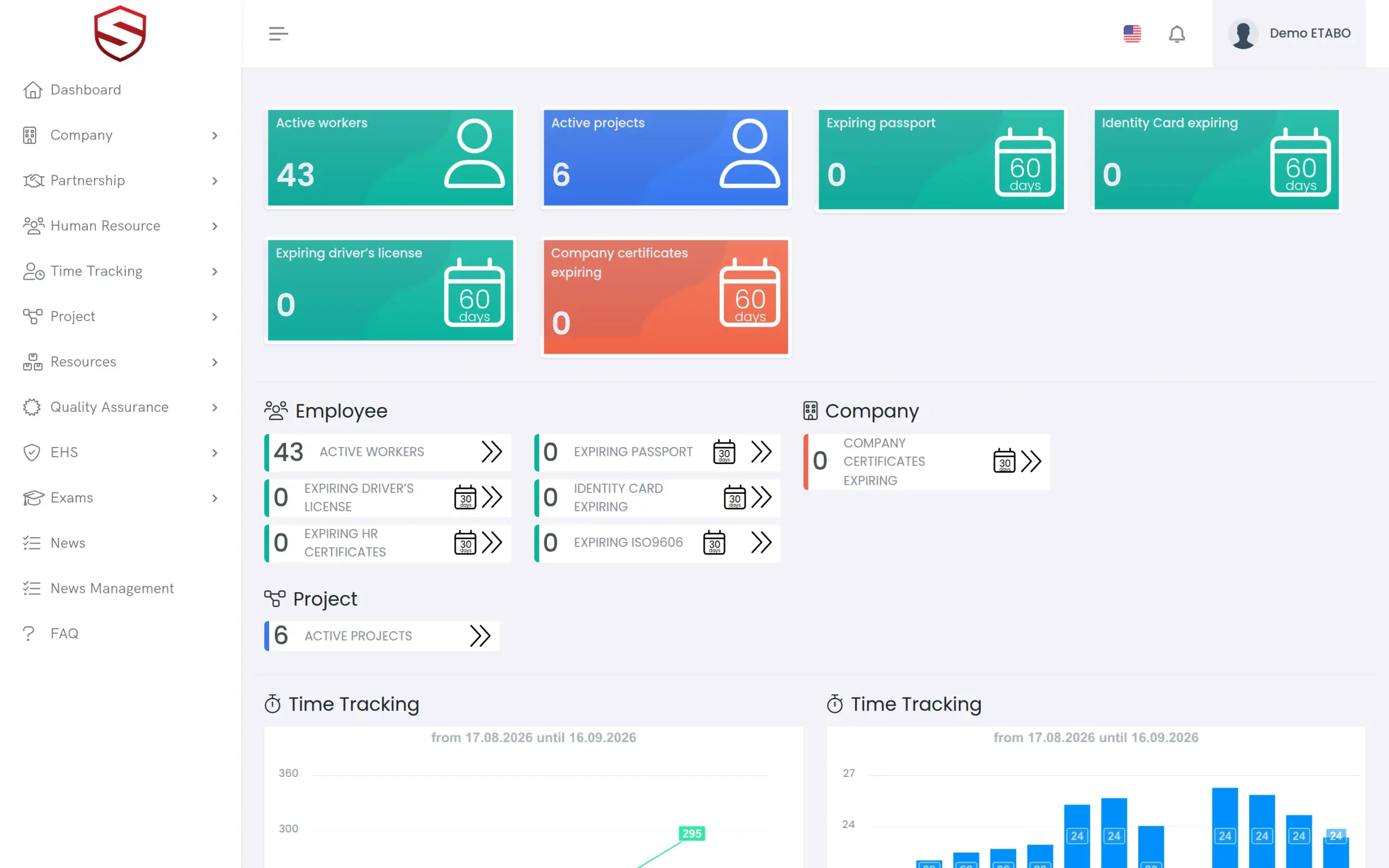
Employee certificates, safety instructions, company certificates and ISO 9606 welder qualifications share one reminder engine. As an expiry date approaches, the responsible users receive an in-app notification, a push notification in the Soft-TLS mobile app (Android) and an e-mail written in their own interface language. Passports, ID cards and driver licences have their own expiry reminders on their own schedule. The dashboard counts all of them in one due queue.
- In-app notification, push notification and e-mail for every reminder
- E-mails in the language of each recipient
- Reminders that start 30 days before expiry and repeat until the date
- Dashboard counters for HR certificates, company certificates and ISO 9606
- Passports, ID cards and driver licences: own reminders, own dashboard counters
Records
Employee certification tracking on the profile, company certificates in their own register
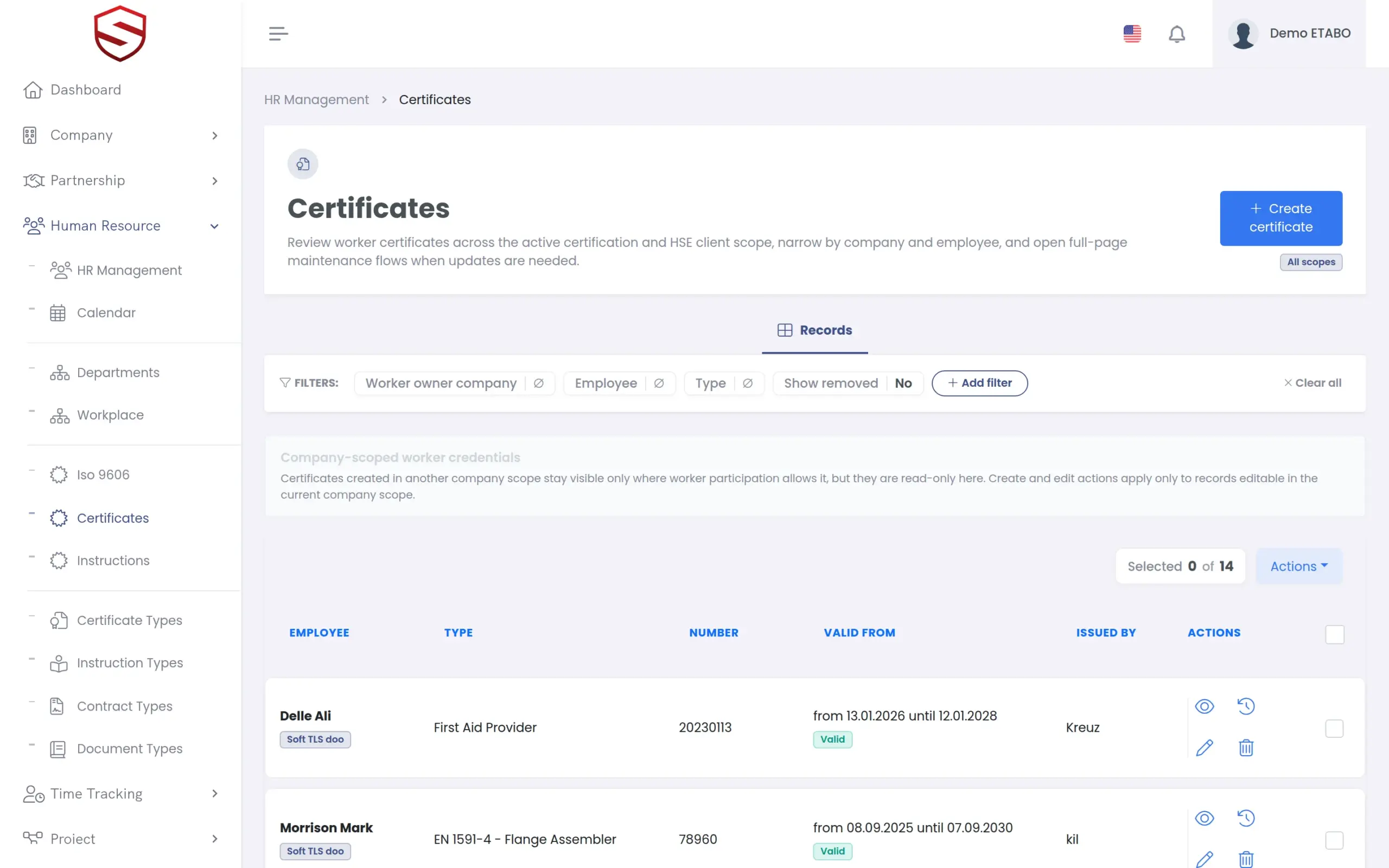
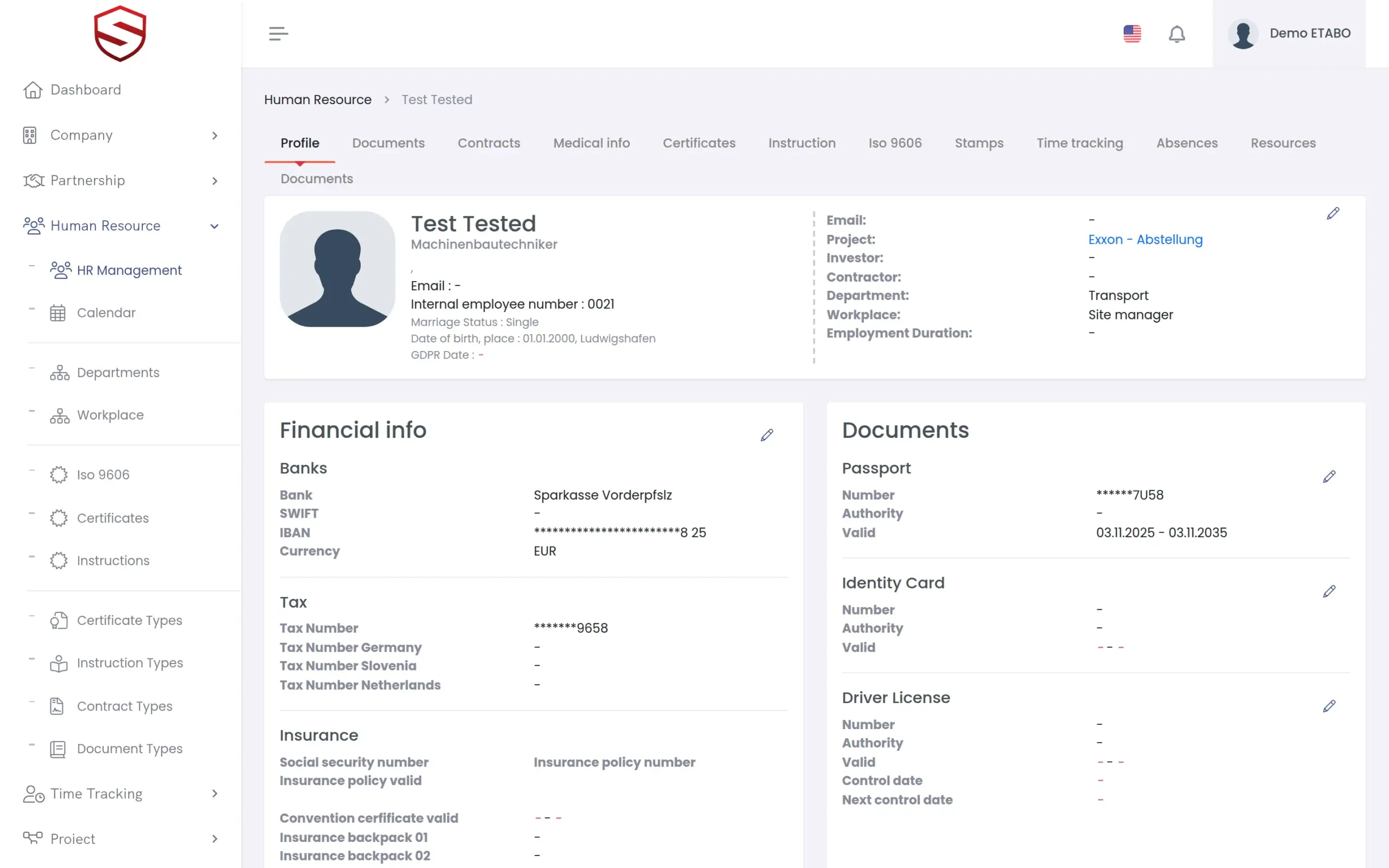
Every employee profile has tabs for certificates and safety instructions, with number, validity dates, issuing contact and the attached document. Company certificates live in a separate register. Certificate types are defined once, as personal or corporate, with translations. Each company can adjust a type for itself and reset it to the defaults later.
- Personal and corporate certificate types
- Company settings per certificate type, with reset to the defaults
- Scanned document attached to the record
- Read-only view of certificates created in a partner company scope
- Certificate types that can be required for a partnership
What certificate expiry tracking includes
- Certificates and safety instructions on every employee profile
- Company certificates in a separate register
- Certificate types, personal and corporate, with translations
- Number, validity dates, issuing contact and document per record
- Expiry reminders in the app, by localized e-mail and as push notifications
- Dashboard counters for expiring certificates and ID documents
- ISO 9606 welder qualifications in the same reminder engine
- Separate expiry reminders for passports, ID cards and driver licences
- Required certificate types per partnership
- Audit events for every create, update and delete
Works together with
HR documents and certificates
Certificates sit on the same employee profile as contracts, ID documents and medical information.
Welder qualifications (ISO 9606)
ISO 9606 qualifications are structured records with their own expiry date, reminded by the same engine.
Subcontractor portal
Mark certificate types as required for a partnership. An expired company certificate can affect the compliance status of that partnership.
Frequently asked questions
Who gets reminded, and when?
The users responsible for the employee or the company record, based on their rights and notification settings. For certificates, safety instructions and welder qualifications, reminders start 30 days before the expiry date and repeat until the day itself, on the same schedule for every certificate type. ID documents are reminded on their own schedule.
How do certificates get into the system?
HR adds a certificate to the employee, or a corporate certificate to the company, with type, number, validity dates and the scanned document. For ISO 9606 welder qualifications, OCR pre-fills the fields from the scan and a person verifies them before saving.
We work with partner companies. Who sees which certificates?
Certificates created in another company scope stay visible only where the participation of the worker allows it, and they are read-only there.
Is every change traceable?
Yes. Creating, updating or deleting an employee certificate, a company certificate, a safety instruction or an ISO 9606 record is captured as a named audit event.