Quality · Welder qualifications
Welder qualification tracking software: ISO 9606 designations as data, not scans
Every ISO 9606 qualification stored as structured, filterable fields with validity dates and reminders, next to WPQR records and personal welder stamps. For welding coordinators and quality managers who answer to auditors.
The problem today
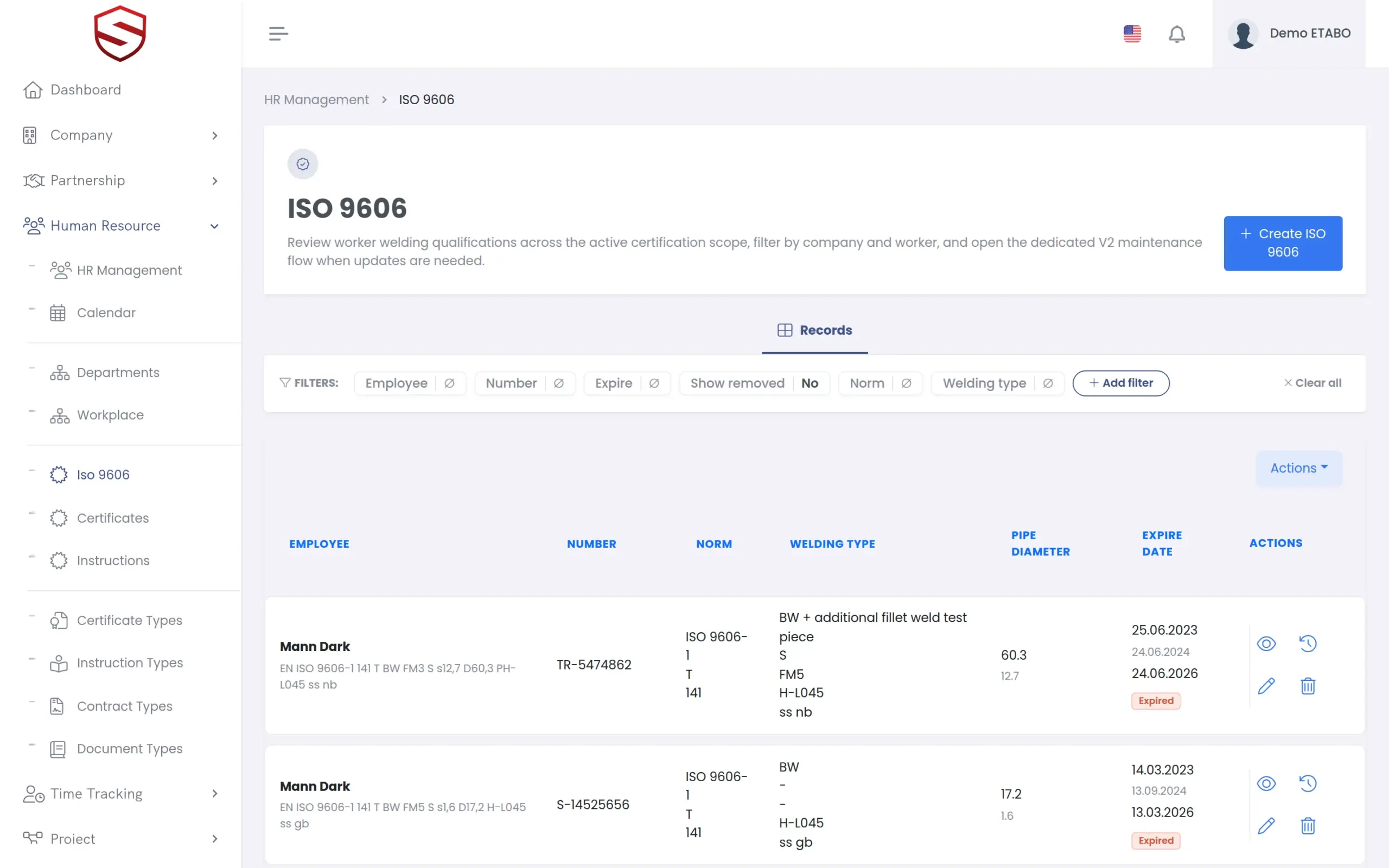
A scanned certificate cannot be filtered, and audit day is when you find out
Nobody can search a scan
Process, position, material group, diameter and thickness are printed on the certificate. Finding the welders who cover a joint means opening PDFs one by one.
Expiry dates slip
Exam, expiry and renewal dates sit on paper. One missed date, and a welder is unqualified on paper the next morning.
Audit day is a paper chase
A welder, a procedure and a stamp have to be matched back to paper certificates, with the auditor in the room.
ISO 9606 records
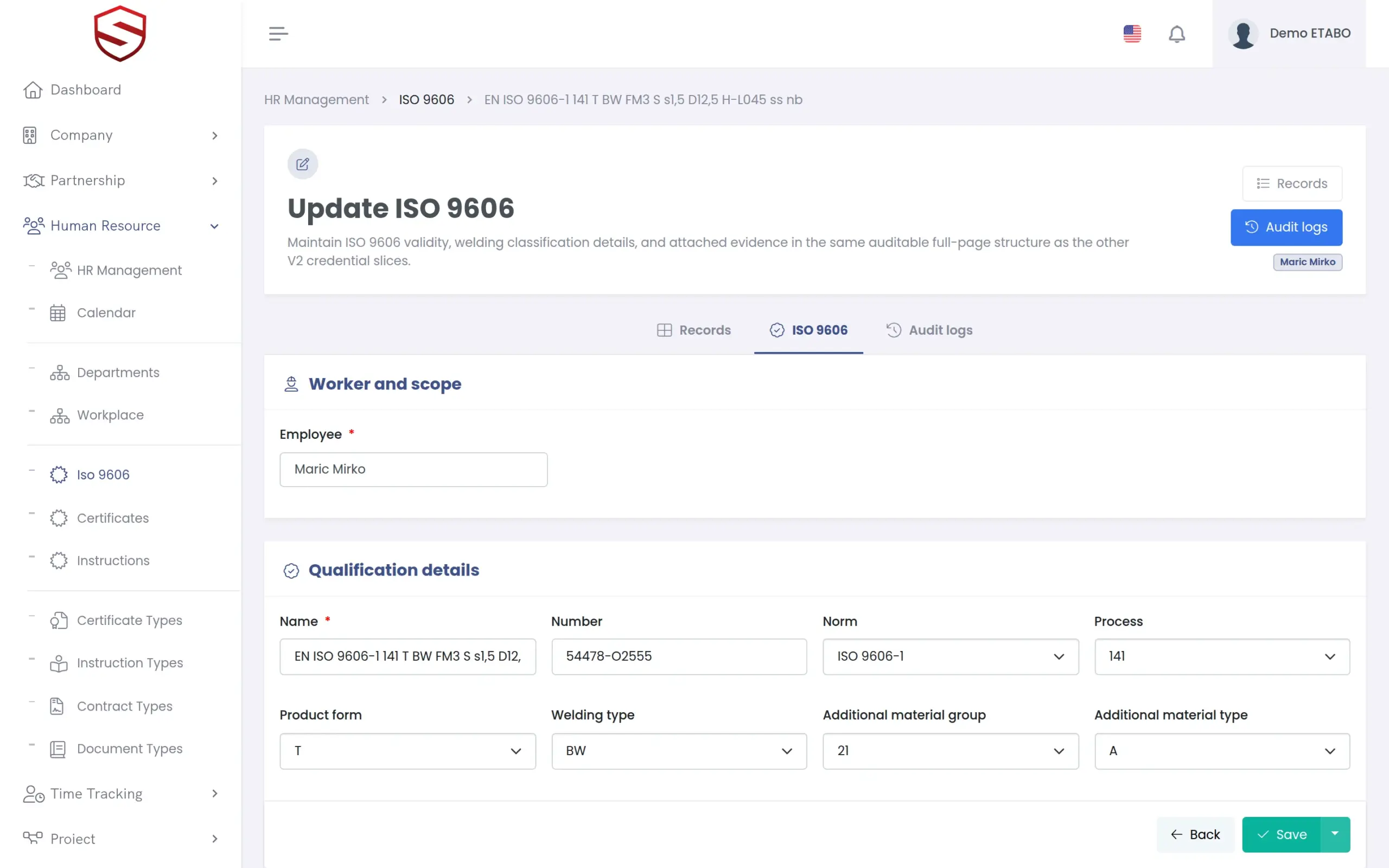
Upload the certificate, check the fields, save structured data
Upload the scanned certificate and OCR pre-fills the designation: norm, process, welding type, welding position, product form, additional material group and type, pipe diameter and wall thickness, plus exam, expiry and renewal dates. The form says it plainly: “Please review and verify all auto-filled data before saving.” From then on the qualification is data you can filter, and the scan stays attached as evidence.
- Structured fields for norm, process, welding type, position and product form
- Exam, expiry and renewal dates on every record
- OCR-assisted entry that a person always verifies
- Filters by norm, process, position, material, product form and validity
- Edit conflicts detected, so nobody overwrites the change of a colleague
Procedures, stamps and inspections
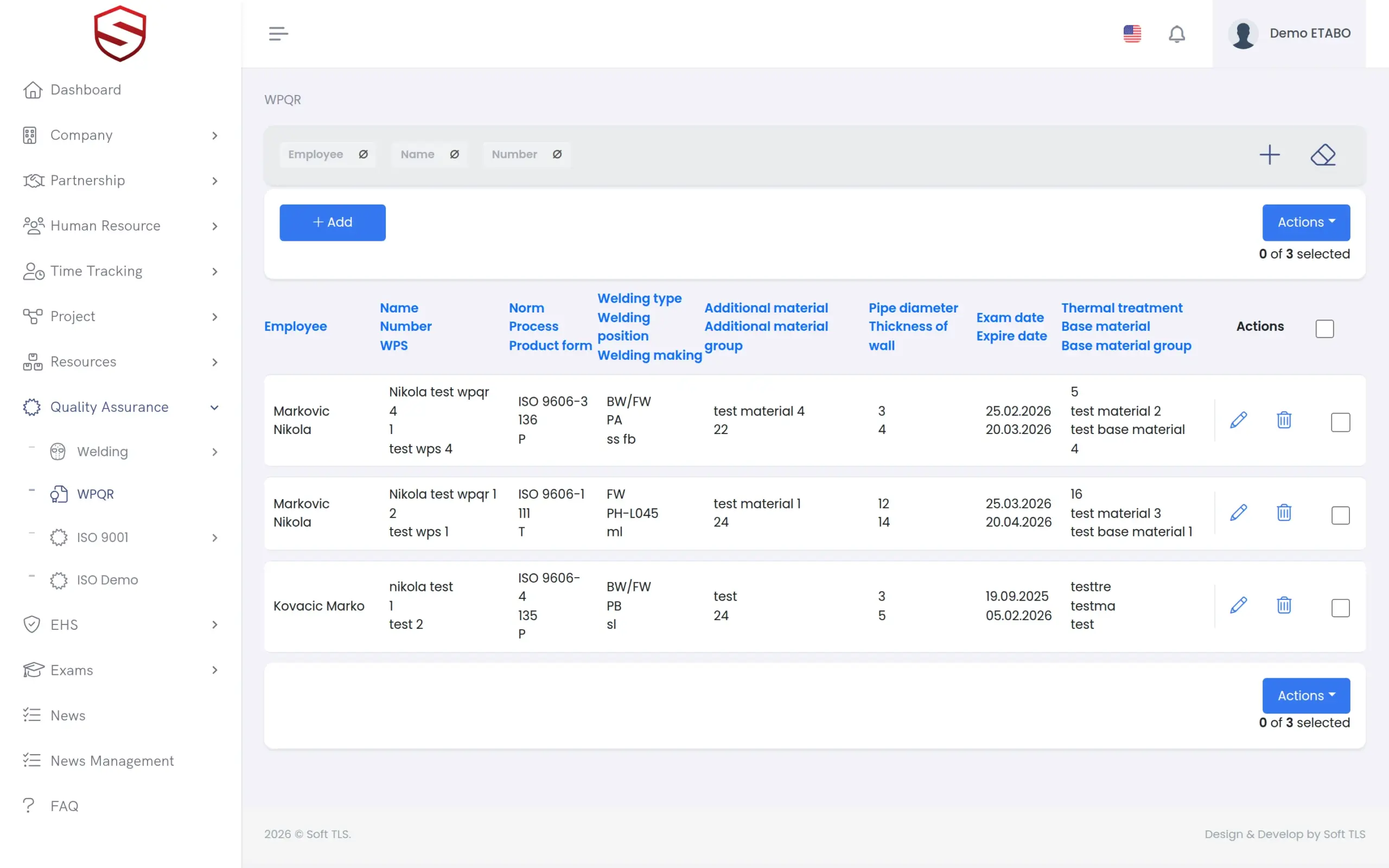
WPQR, welder stamps and the inspection register in the same system
A WPQR is its own structured record: base material and group, thermal treatment, WPS reference document and additional material, with the same norm, process and position dictionaries as the qualifications. Personal welder stamps follow an issue and return lifecycle, so you know who holds which stamp. The Welding Quality Assurance register logs inspections per project and welder, with results per inspection method and a summary.
- WPQR register with base material, thermal treatment and WPS document
- “Issue stamp” and “Return stamp” for every personal welder stamp
- Welding Quality Assurance register filtered by project and welder
- Expiry reminders in the app, by localized e-mail and as push notifications
What welder qualification tracking includes
- ISO 9606 register across all welders
- Designation stored as fields, not as a picture
- OCR extraction from the scanned certificate
- Exam date, expire date and renewal date
- Expiry reminders and a dashboard counter for ISO 9606
- WPQR records with WPS reference document
- Stamps with issue and return
- Welding Quality Assurance register with summary
- Audit events for created, updated and deleted qualifications
Works together with
Quality and welding
Qualifications, WPQR, stamps and the Welding Quality Assurance register belong to one quality area.
Certificate expiry tracking
The same reminder engine covers employee certificates, company certificates and safety instructions.
HR documents and certificates
Qualifications and stamps appear on the employee profile of the welder, next to certificates and instructions.
Frequently asked questions
How do existing certificates get into the system?
Upload the scan on the qualification form. OCR pre-fills the designation fields and the dates. If the document quality is poor, some fields may not be recognized correctly, so a person reviews and corrects everything before saving. You can also type the fields by hand.
Who is reminded before a qualification expires?
The users responsible for the welder, based on their rights and notification settings. They receive an in-app notification, an e-mail in their own language and a push notification in the Soft-TLS mobile app (Android). Reminders start 30 days before the expiry date.
Does Soft-TLS stop me from assigning a welder whose qualification does not fit the job?
No. Soft-TLS shows you the qualifications and their validity, so you can see who is qualified before you assign the work. It does not check work order assignments against qualifications automatically.
Can I see welding records per project?
Yes. The Welding Quality Assurance register is filtered by project and welder and shows the inspections per method with a summary. It lists what was recorded. It does not calculate which qualifications a project still lacks.