HSE · Risk assessments
AI risk assessment software where the AI drafts and your safety officer decides
Describe the job. The AI proposes hazards, risk scores and measures from your own catalogs. Your safety officer approves or rejects every row, signs off, and every revision stays on record. For industry, assembly, construction and field service.
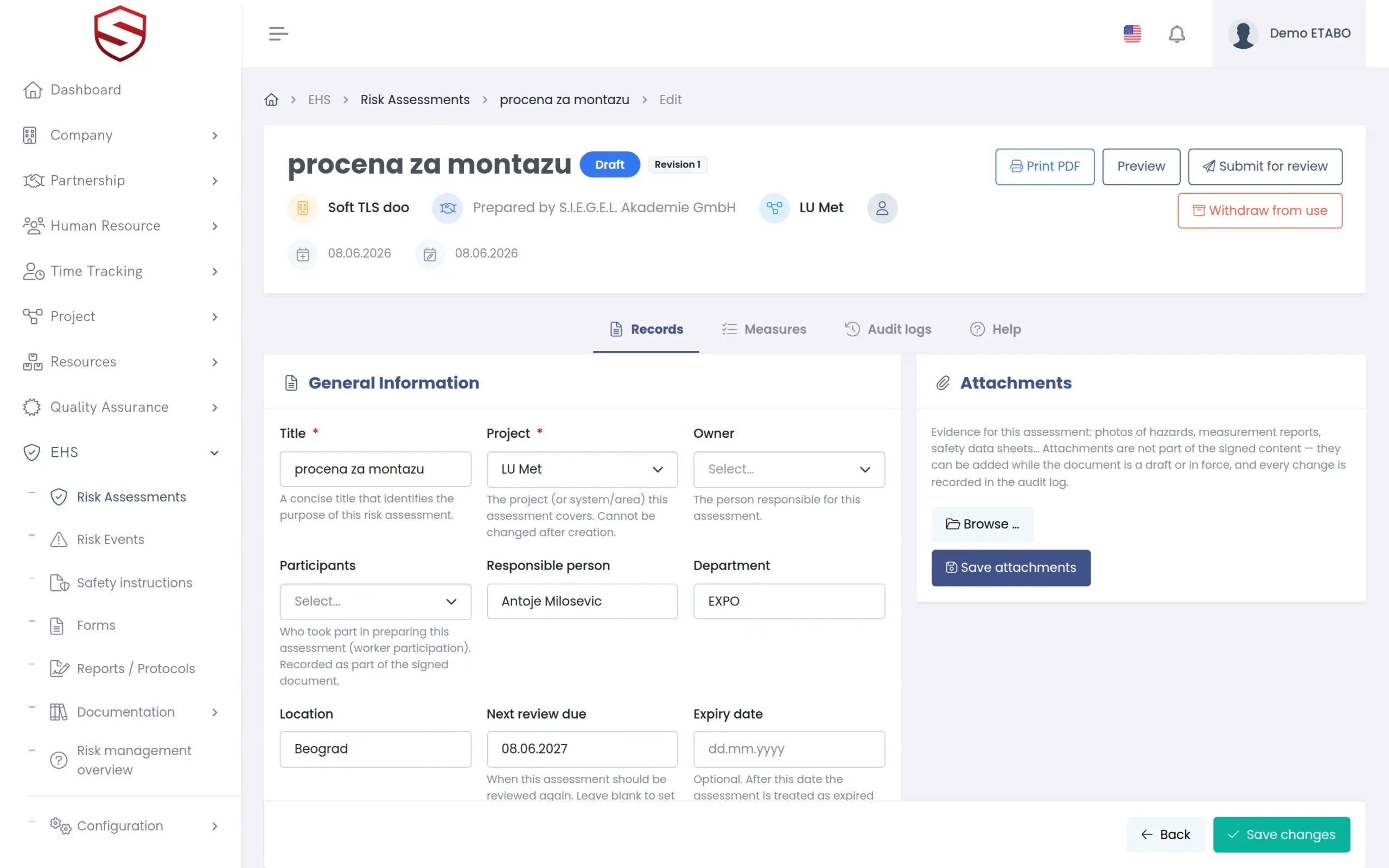
The problem today
Risk assessments are slow to write, easy to copy and hard to defend
A day per assessment
Every new job needs its own assessment. Under deadline it is copied from the last project, outdated hazards included.
Chatbot text nobody can trace
A general AI tool writes fluent text and invents hazards and legal references. Afterwards nobody can show who checked what.
Signed files that still change
A signature on a Word file proves little. Ask which version was in force on the day, and the folder holds three.
AI drafting
The AI proposes. A named person approves or rejects every row.
Describe the job, with a site photo if you have one. You get candidate rows: hazard, initial and residual risk, measures and a short rationale. Each pick is checked against your own catalogs, so the AI cannot invent a hazard or a legal source. Nothing exists until a person accepts it.
- “Generate suggestions”: hazards for one section from a job-step description
- “Draft assessment with AI”: all sections and items from one description
- “Draft from photo (AI)”: an observation pre-filled from a photo and a note
- Approve or Reject per row, with an optional reason for a rejection
- The AI never assigns people and never changes a status
- Each draft audited: model, version, accepted and rejected counts
AI under your control
Your AI provider, your key, your cost in plain view
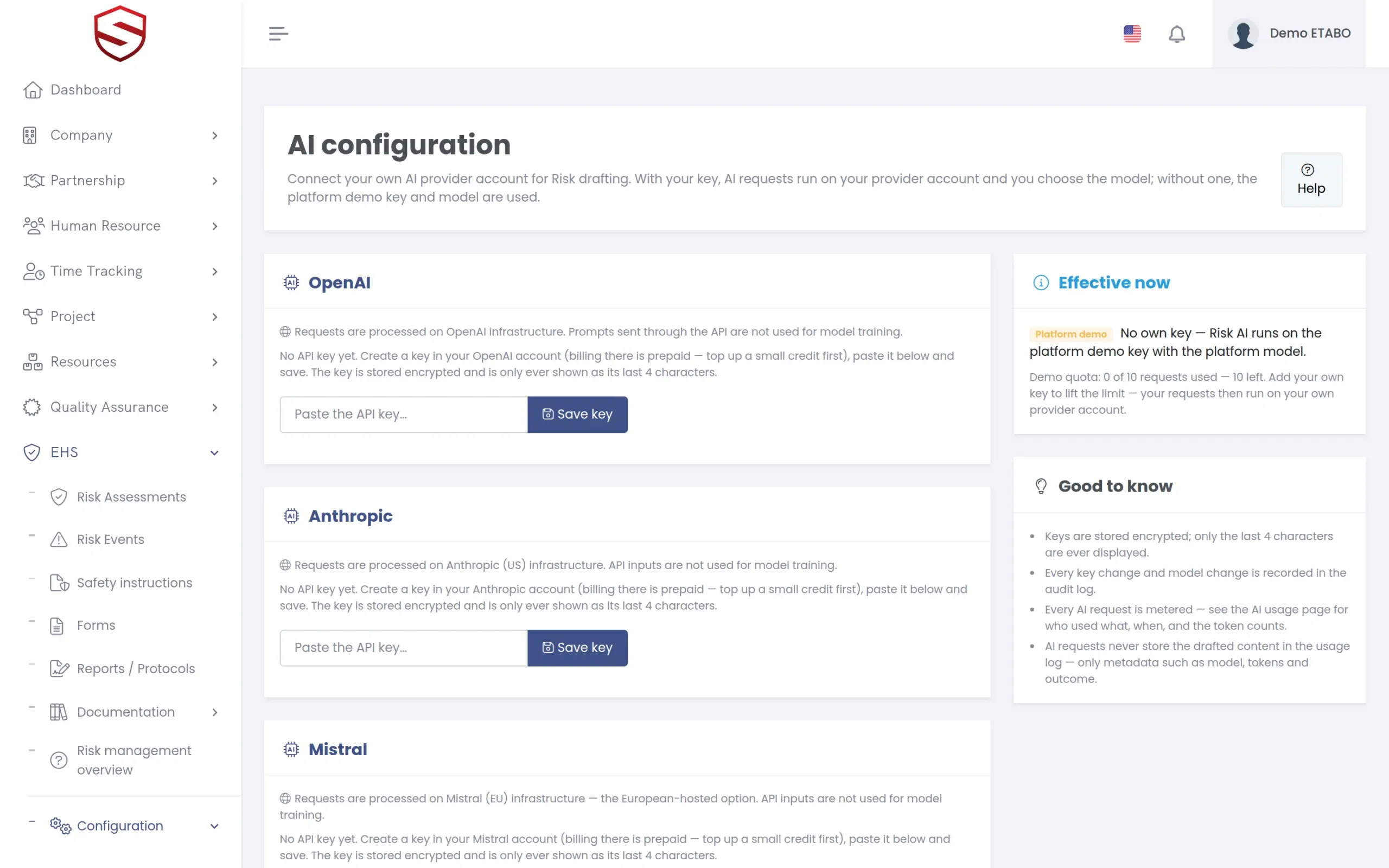
Each company connects its own API key for OpenAI, Anthropic, Mistral or Azure OpenAI. Keys are stored encrypted and shown masked. Drafts are grounded in your catalogs and a curated library of legal and standards documents, retrieved per request, not trained into a model. The usage log and the audit trail hold metadata only, never prompt or response text.
- “Test key” check, and enable or disable per provider
- No own key yet: drafting runs on a capped platform demo key
- “AI usage” overview: Requests, Input and Output tokens, Approx. cost, by Period, User, Use case and Model
- Key changes, model changes and AI requests are separate audit events
- One right to manage keys, another to read usage
Sign-off
A sign-off that names the signer and refuses unaccepted high risks
After “Submit for review”, the approver signs off and confirms with an authenticator code, the same two-factor code used at login. Soft-TLS records identity, revision and a content hash of what was signed, so a later change is evident. A drawn signature can be added for the PDF.
- Status path: Draft, In review, In force, Superseded, plus Retired
- Separation of duties as a company setting: the owner cannot sign off their own assessment
- “Sign-off Blocked — ALARP Decision Required” until every high residual risk has an explicit acceptance decision
- Participants (worker participation) are recorded as part of the signed document
Versions and output
Every revision on record, and comparable side by side
Revising an assessment in force creates a new revision and marks the previous one Superseded. Nothing is overwritten. Compare revisions structurally, oldest on the left, merge several drafts into one, and print a PDF that matches the screen: signature, content hash, status and risk bands.
- “Create revision”, “Revision history” and “Compare revisions”
- “Merge risk assessments”: two or more drafts become one new draft
- “Duplicate risk assessment” for the next similar job
- Catalog entries per language; the AI answers in the language you write in
How it works
From job description to an assessment in force
- Set the scope
Create the assessment for a project, name the owner and add a section: Activity, Procedure, who is exposed. - Describe the job
One paragraph, optionally a photo. Draft one section or the whole assessment with AI, or pick hazards yourself. - Review every row
Approve, edit or reject each proposal, then add the accepted items. - Plan what is missing
Where residual risk stays high, add a planned measure with a responsible person and a due date. Once the assessment is in force, the measure can become a work order. See work orders. - Submit and sign off
Submit for review. The approver signs off with an authenticator code, and the assessment is In force. - Keep it current
Review reminders and flags from real incidents tell you when to revise. The assessment in force feeds the safety instruction. See safety instructions.
What is included in AI risk assessment
- “Risk Assessments” register with filters
- Sections by Activity and Procedure
- Initial and residual risk on a 5×5 matrix
- Existing controls, planned measures, legal sources
- AI drafting per section, assessment and observation photo
- AI configuration and usage overview
- Sign-off with authenticator code and content hash
- Revision history, compare, duplicate, merge
- Attachments and participants
- Print PDF
- Audit log on every document
- Rights for View, Record, Manage and Sign-off
Works together with
HSE and risk management
Assessments, events, instructions and documents share catalogs and one audit trail.
Risk register and control measures
Catalogs, the 5×5 matrix and planned measures with owners, deadlines and verification.
Incident and near-miss reporting
A recorded accident or serious near miss flags the assessments that cover the same hazard.
Frequently asked questions
Which AI is used, and what does it see?
Your administrator chooses: OpenAI, Anthropic, Mistral or Azure OpenAI, with your own key. The request carries your description, an optional photo, a shortlist from your catalogs and excerpts from a platform-curated legal and standards library. The draft and your decisions are kept as a record; usage log and audit trail hold metadata only.
Who is responsible for the content of an assessment?
Your people. A proposal does nothing until a named user approves it, and nothing is in force before a recorded sign-off. The audit trail shows who accepted, rejected and signed. Soft-TLS records decisions. It does not take them.
Can the AI invent a hazard or a legal reference?
Not as a catalog entry. Proposed hazards, measures and legal sources are checked against the shortlist sent from your catalogs; anything else is discarded. The rationale is AI-written text, which is why a person reviews every row.
Can we keep our own catalogs and risk matrix?
Catalogs, yes: your own hazards, measures, legal sources, activities and procedures sit next to the platform entries. The 5×5 matrix comes with the HSE pack and cannot be edited per company today. That is on the roadmap.
How do we print or export an assessment?
“Print PDF” produces the document with signature, content hash, status and risk bands, as on screen. Excel export exists for the risk events register today, not for assessments.
Does it work for an HSE consultancy with several clients?
Yes. Under an approved partnership you author assessments for a client company. Registers show the client’s logo and name with a “For client” badge, and the authoring company stays on record.