HSE · Risk register
Risk register software where every measure has an owner, a deadline and a result
A risk register built from shared catalogs of hazards, measures and legal sources. Each planned measure gets a responsible person, a due date and, in one step, a work order. For HSE teams who must prove that measures were done.
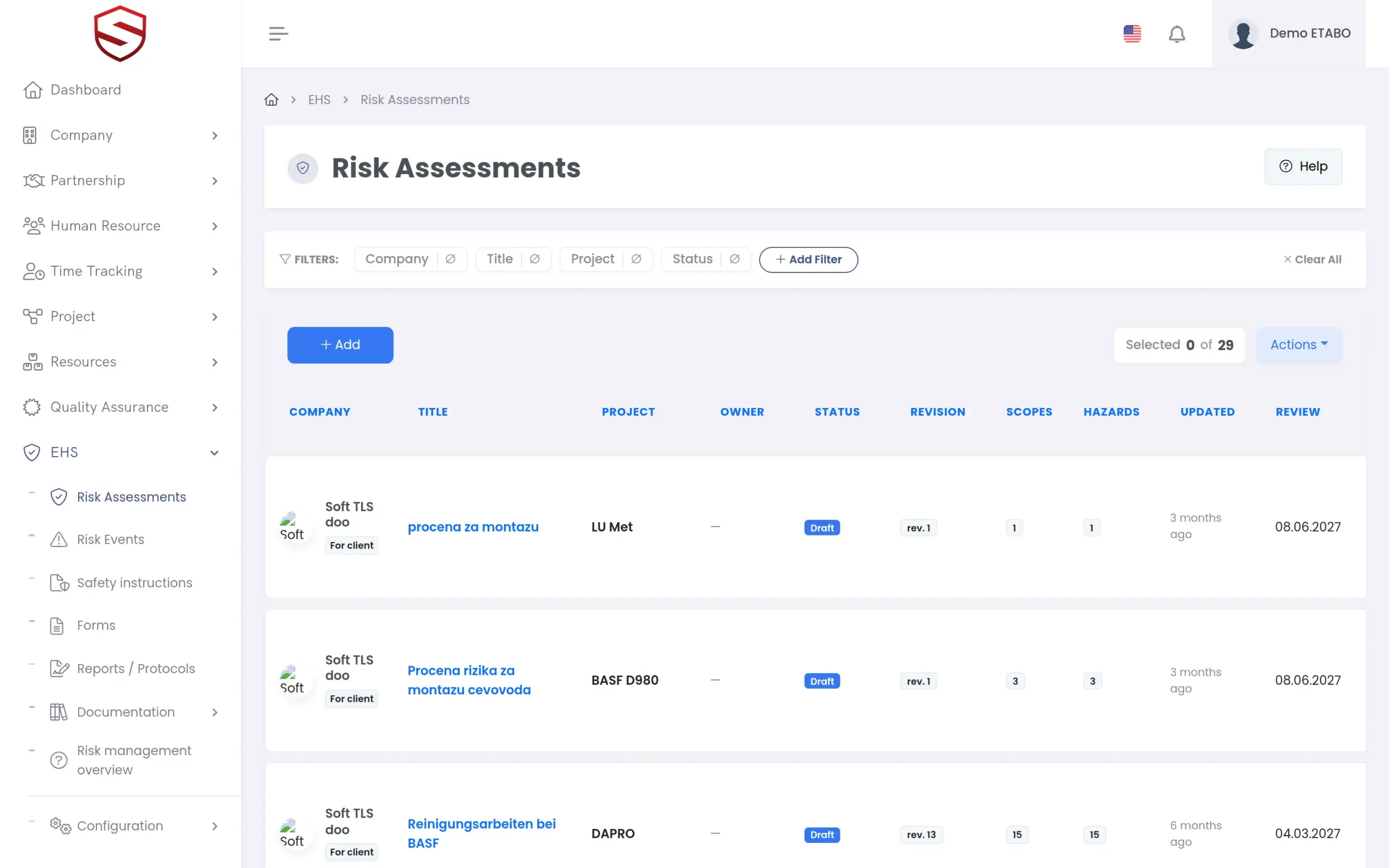
The problem today
The risk register is a spreadsheet, and the measures live somewhere else
Every author names hazards differently
One file says falling objects, the next dropped loads. You cannot report across assessments that share no vocabulary.
Measures without an owner
The assessment lists what should be done. Nobody can say who does it, by when, or whether it worked.
Reviews wait for the audit
The review date sits in a cell nobody opens. An incident on the same hazard changes nothing in the document.
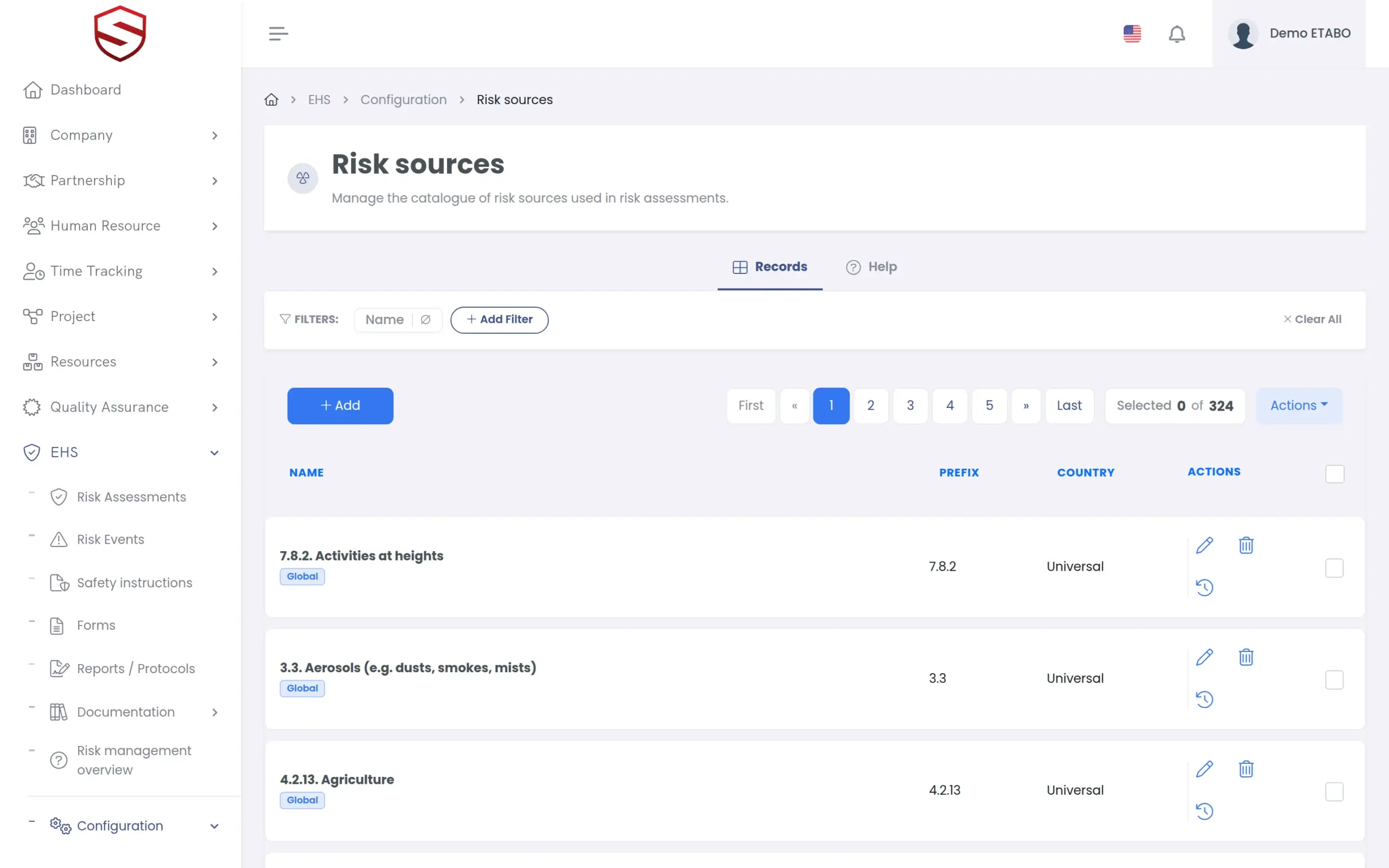
Catalogs
One vocabulary for every assessment, maintained once
Hazards (risk sources), measures (controls), legal sources, activities and procedures come from catalogs. The platform supplies shared entries. You add your own and decide per company what is included. The same hazard catalog feeds the safety instructions, so two documents never disagree about a name. See safety instructions and compliance documents.
- Platform entries and company entries side by side
- Include or exclude an entry per company
- A translation per language for every catalog name
- Deleted entries can be restored; every change is audit-logged
Scoring and measures
Every risk scored the same way, every measure followed to a verified result
Each item carries an initial and a residual risk on a 5×5 matrix, in four bands from Low to Very high. An existing control is documented. A planned measure is managed: responsible person, due date, then Start, Complete and Verify with a recorded effectiveness. Once the assessment is in force, selected measures become a work order with one task per measure. See work orders.
- Axes: “Probability of occurrence” and “Severity of damage”
- Residual risk can never exceed initial risk
- Acceptance per item: Accept, Mitigate, Transfer or Avoid
- “Create a work order from the selected planned measures”
- Register filter for measures past their due date
Reviews and real events
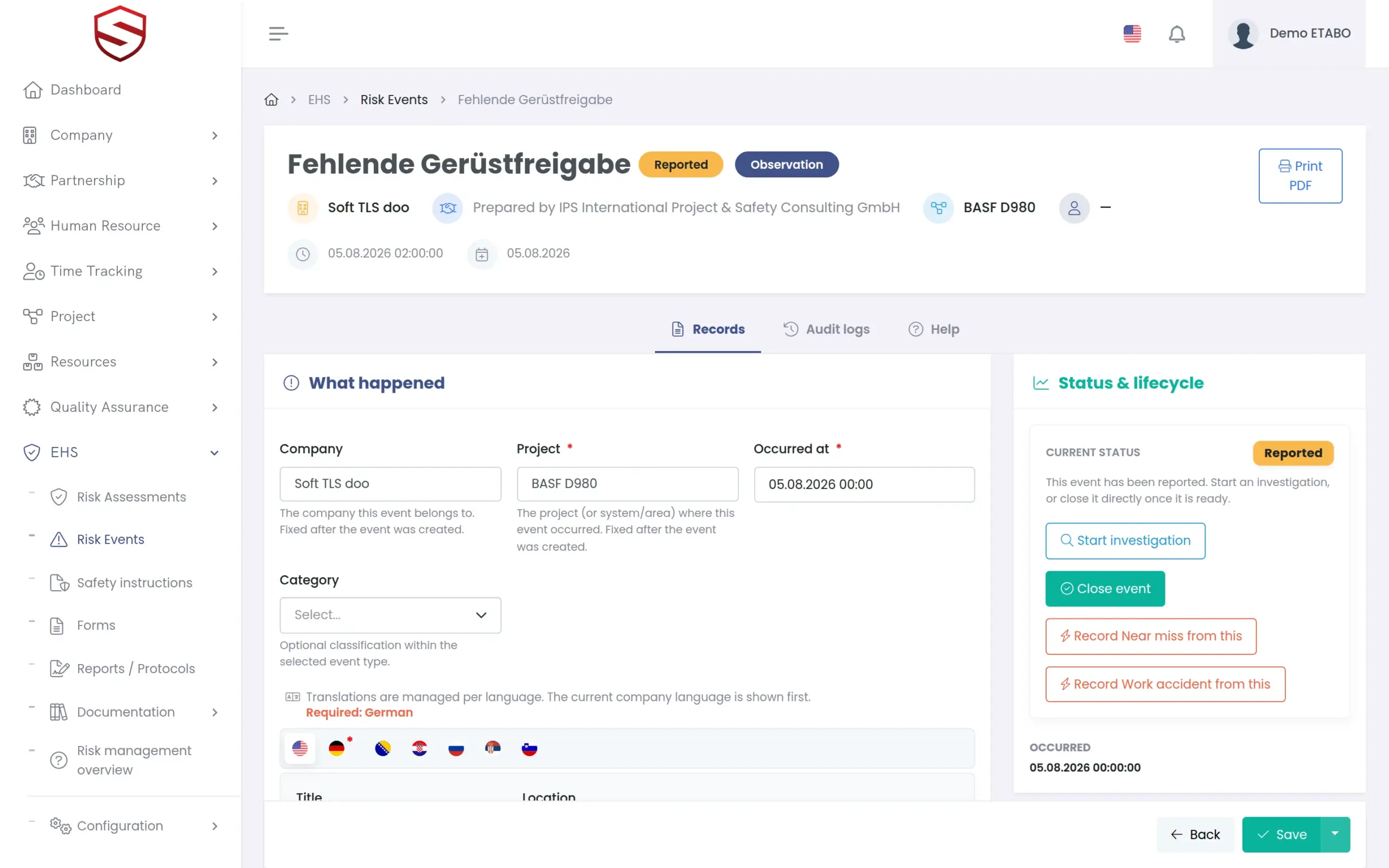
A register that tells you when an assessment is out of date
Each assessment has a next review date, and review reminders are sent. An accident or a serious near miss flags the in-force assessments covering that hazard and notifies the owner. If no in-force assessment covers the hazard, the event says so. See incident and near-miss reporting.
- Red banner on the flagged assessment
- Dismissing a flag needs a reason and is audited
- A new revision in force resolves the flag
- Reminders and flags also arrive as push notifications in the Soft-TLS mobile app (Android)
What the risk register includes
- Catalogs for hazards, measures and legal sources
- Activities, procedures and documentation library
- 5×5 risk matrix with four bands
- Initial and residual risk, acceptance per item
- Existing controls and planned measures
- Responsible, due date, reschedule
- Start, Complete, Verify and effectiveness
- Work orders from planned measures
- Review dates, reminders, review flags, gap warning
- Audit log and restore
- Separate rights to view, record, manage, sign off and configure
Works together with
HSE and risk management
Assessments, events, instructions and documents share the same catalogs and audit trail.
AI risk assessment
The AI drafts items from these catalogs only, and a person approves every row.
Work orders
Planned measures become tasks with status, progress and approvals, like any other job.
Frequently asked questions
Can we keep our own hazard and measure catalogs?
Yes. Your entries sit next to the platform entries, each with translations. Per entry you decide which companies it is included in or excluded from.
Can we change the risk matrix?
Not today. The 5×5 matrix, its axes and its four bands come with the HSE pack, the same for every company. An editable matrix is on the roadmap.
What happens to a planned measure after sign-off?
It stays open until someone starts, completes and verifies it. Overdue measures show in the register. Selected measures become a work order, and each task stays linked to its measure.
What happens to the register after an incident?
An accident flags the in-force assessments for the same hazard. So does a high-severity near miss. Lower near misses and observations are suggested to the HSE officer. The flag stays until you revise the assessment or dismiss the flag with a reason.
Can we export the register?
Every assessment prints as a PDF with status, signature, content hash and risk bands. Excel export exists for the risk events register today, not for assessments.