HSE · Safety instructions
Safety instruction software that starts from the risk assessment, not from a blank template
Compose the workplace safety instruction from the hazards and measures you already assessed, issue it as a locked version and print the placard. Company forms, plans, procedures and consultant reports sit next to it. For safety officers and consultancies.
The problem today
The instruction on the wall and the assessment in the folder no longer match
Retyped by hand
Hazards and measures are retyped from the assessment into a Word template, and the two documents drift apart.
Which version hangs where
The file is overwritten when it changes. The printout at the machine is two revisions old.
Forms scattered across drives
Blank forms live on a shared drive, consultant reports in a mailbox. Nobody knows which one is current.
Composer
Eight chapters, filled from the catalogs your assessments use
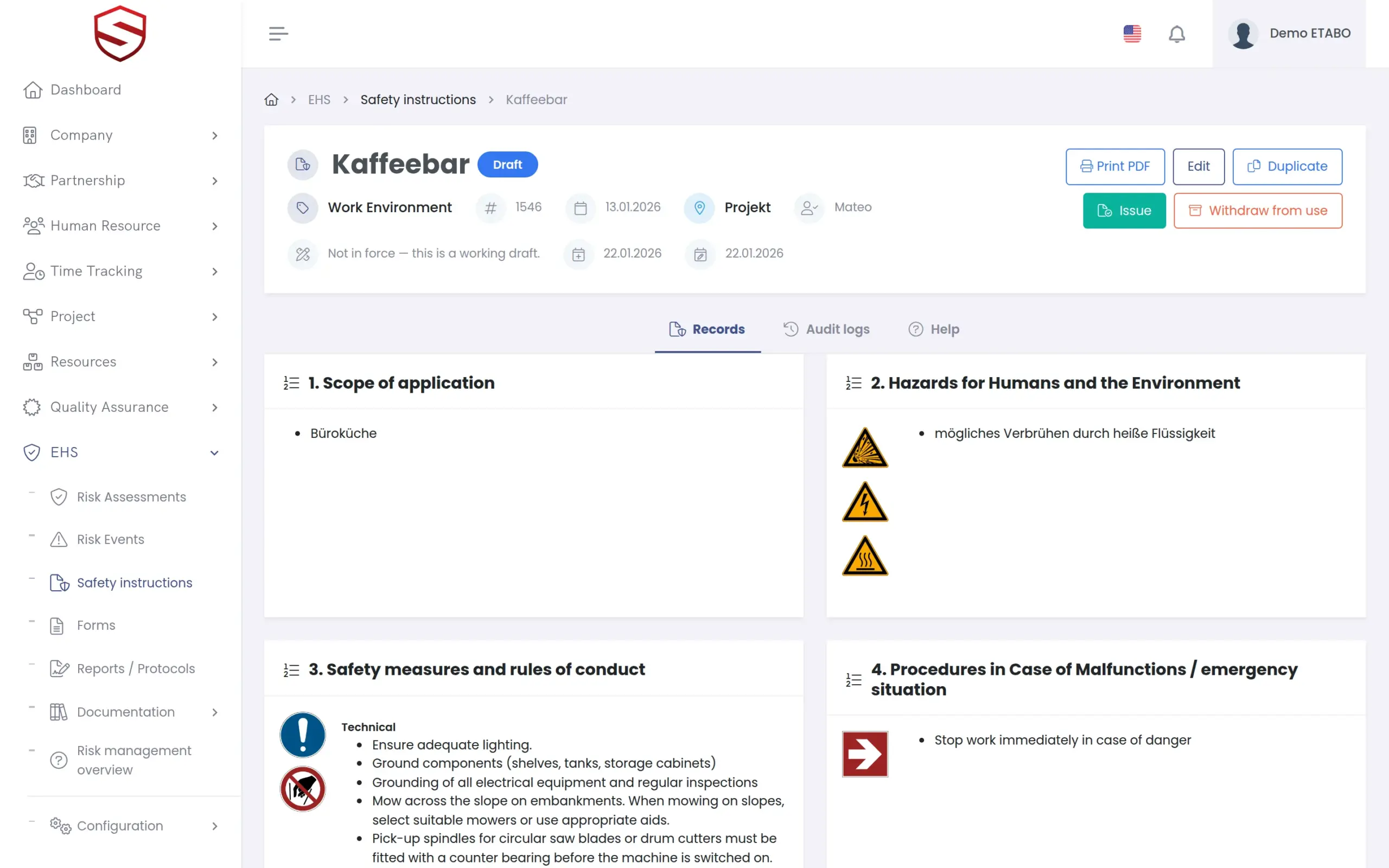
A “Workplace Safety Instruction” has a header and eight chapters. Each combines your own text per language with catalog picks: hazards, measures, statements, pictograms and contacts. Link an in-force assessment and “Draft with AI” derives hazards and measures from its items. You review and edit every field before saving.
- Header with type, number, date and responsible person
- Chapters: Scope of application, Hazards, Measures, Malfunction procedure, Accident procedure, Maintenance and disposal, Consequences, Restrictions
- The type sets the sheet colour and the statements offered
- Same hazard catalog as the assessments
Issue, revise, print
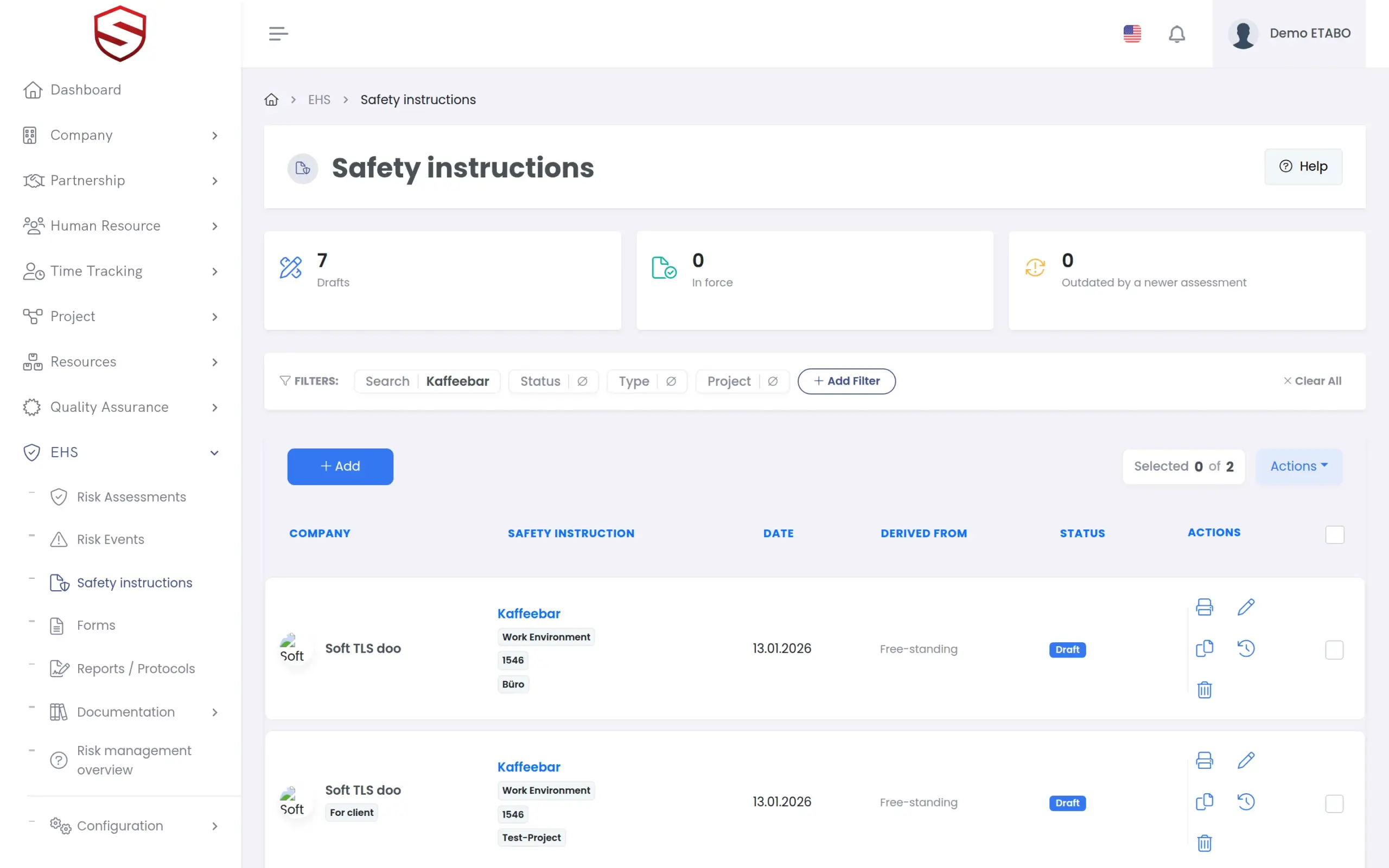
Issued means locked. A change means a new revision.
Issuing locks the content. Revising creates the next version and marks the old one Superseded. When the linked assessment gets a newer revision, for example after an incident, the instruction shows “Outdated by a newer assessment” without blocking its use. See incident and near-miss reporting.
- Status: Draft, Issued, Superseded, Retired
- “Revision history” and “Duplicate”
- Print PDF in the familiar placard layout, watermarked until issued
- Title, scope and chapter texts per language
Forms and reports
Company forms, plans and consultant reports, filed and versioned
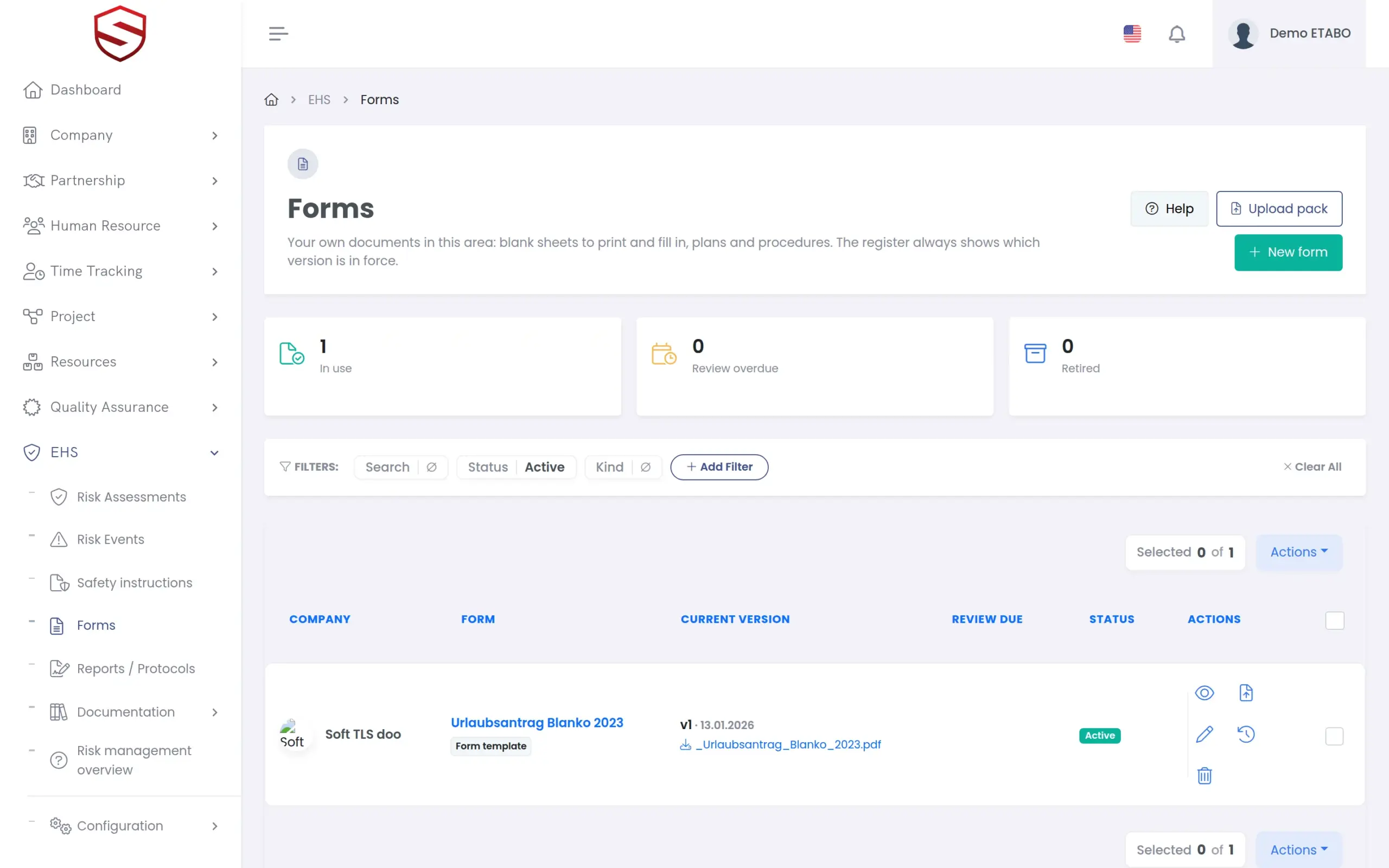
“Forms” is the register for your own blank sheets, plans and procedures. A new version never overwrites the old one; the previous file stays downloadable. “Upload pack” takes many files at once, each reviewed before saving. “Reports / Protocols” files reports with consultant, report number and the scanned original.
- Kinds: Form template, Plan, Procedure, Other document
- Tiles for “In use”, “Review overdue” and “Retired”
- Reports filter: “On file” or “Missing the file”
- Both registers work for a partnership client too
What safety instructions and documents include
- Composer with eight chapters
- Instruction types, statements and pictograms
- “Draft with AI” from a linked assessment
- Issue, revise, retire and revision history
- “Outdated by a newer assessment” marker
- Placard print as PDF
- “Forms” register with version history
- “Reports / Protocols” register
- Audit log on every document
Works together with
HSE and risk management
Instructions, assessments and events share catalogs and one audit trail.
AI risk assessment
The signed assessment supplies the hazards and measures on the sheet.
Risk register and control measures
One hazard catalog for assessments and instructions, maintained once.
Frequently asked questions
Do workers confirm that they have read an instruction?
Not today. Soft-TLS records who issued and revised an instruction and keeps every version. A per-worker acknowledgment record is on the roadmap.
Does the AI write the instruction?
It proposes a full draft from your catalogs, chapter by chapter. You review and edit every field before saving, and only a person issues the document.
What happens when the risk assessment changes?
A linked instruction is marked “Outdated by a newer assessment” as soon as the assessment gets a newer revision. It stays usable until you revise and issue the next version.
Which print layout do we get?
One layout today: the classic workplace placard with a colour frame by instruction type, pictogram columns and signature lines. Drafts print with a watermark.
Can a consultancy deliver documents for its clients?
Yes. Under an approved partnership you create instructions, forms and reports for a client company. “Upload pack” delivers a whole document set in one pass, and registers mark the rows “For client”.