Field operations · Projects
Know what happened on site today, without calling around
Projects hold the work orders, tasks, hours, equipment and people. Foremen record progress and blockers from the phone. Managers approve quantity overruns and closes. The daily log writes itself from what was actually recorded.
The problem today
The site knows, the office guesses, the client disputes
Progress is reported by phone
Nobody writes it down the same way twice, and the version that reaches the client is the one that was remembered.
Overruns surface at invoicing
Extra hours, extra quantities and extra costs are discovered too late, and only the quantities are caught in time.
The daily log is a chore, then it is missing
Written at the end of a long day or not at all. When a delay claim comes, the weeks that matter are blank.
Work orders and tasks
Explicit status, explicit approvals, nothing closed by accident
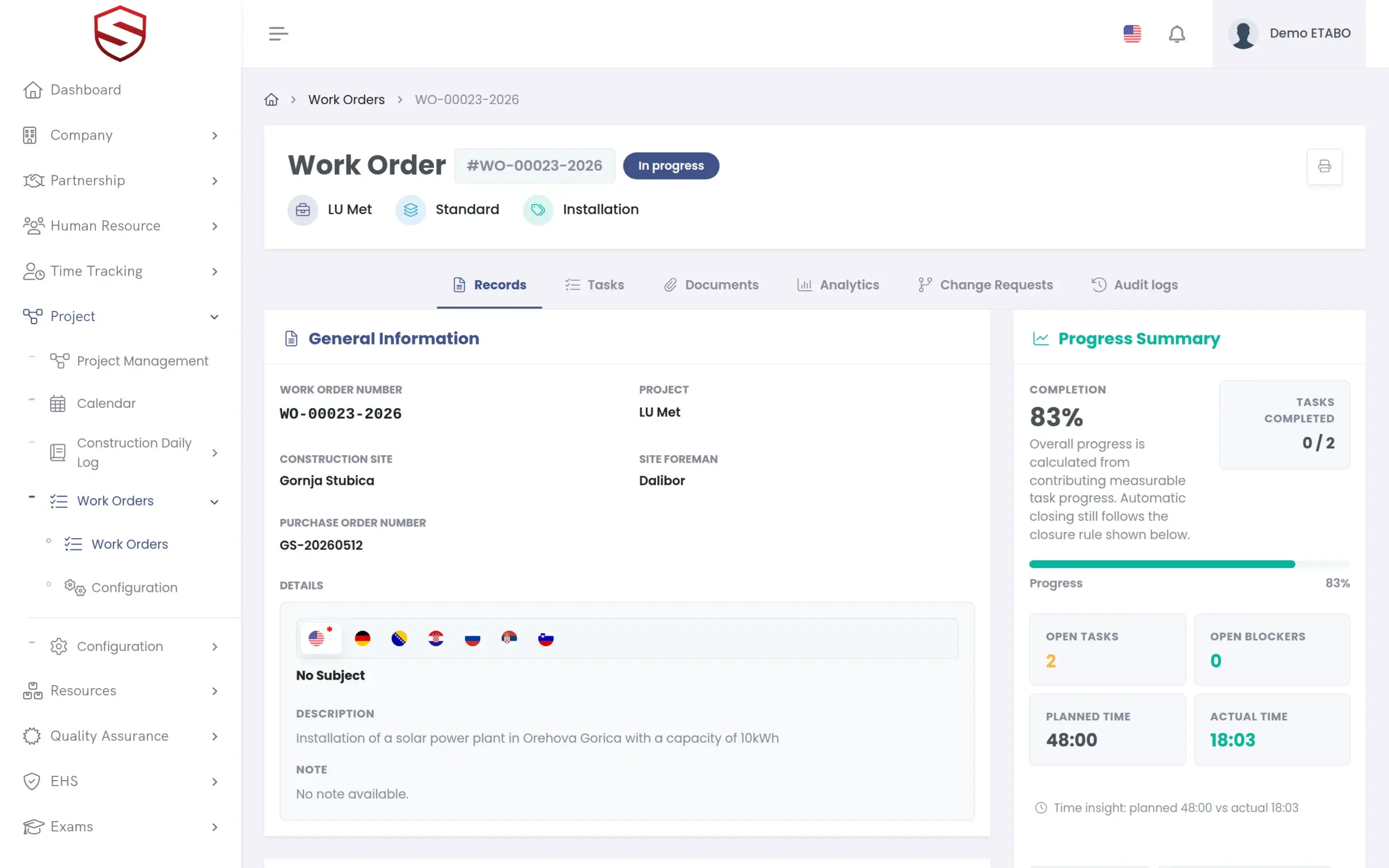
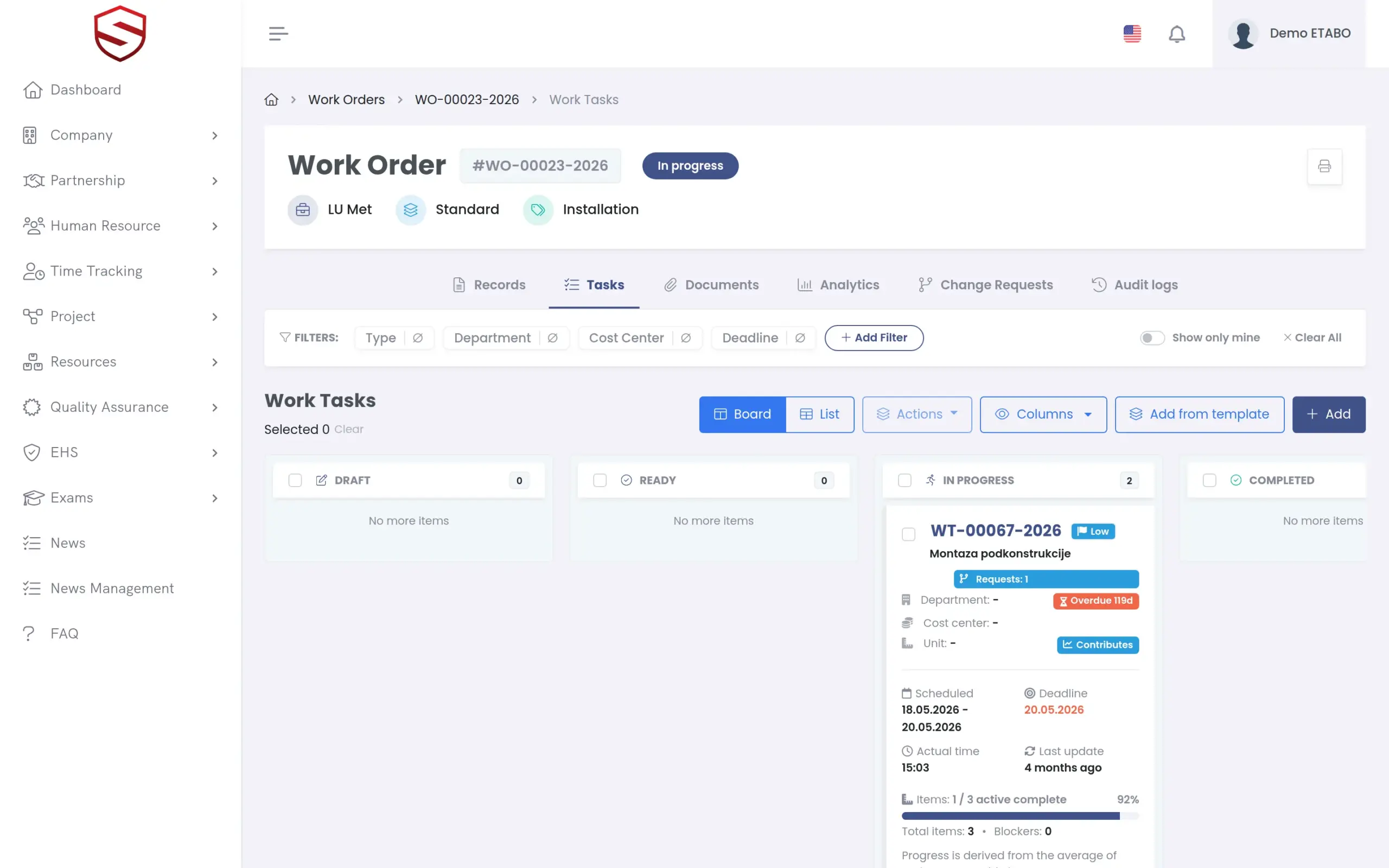
Work orders carry categories, types and document requirements. Tasks come from templates and task groups, with blockers that name the reason work stopped. Status transitions are validated; manual closes and quantity overruns go through approval and are logged with who decided what.
- Work order and task templates, categories and types
- Blocker categories and types, so delays have a cause on record
- Approval flows for manual close and quantity overruns
- “My work tasks” view for foremen and workers
Construction daily log
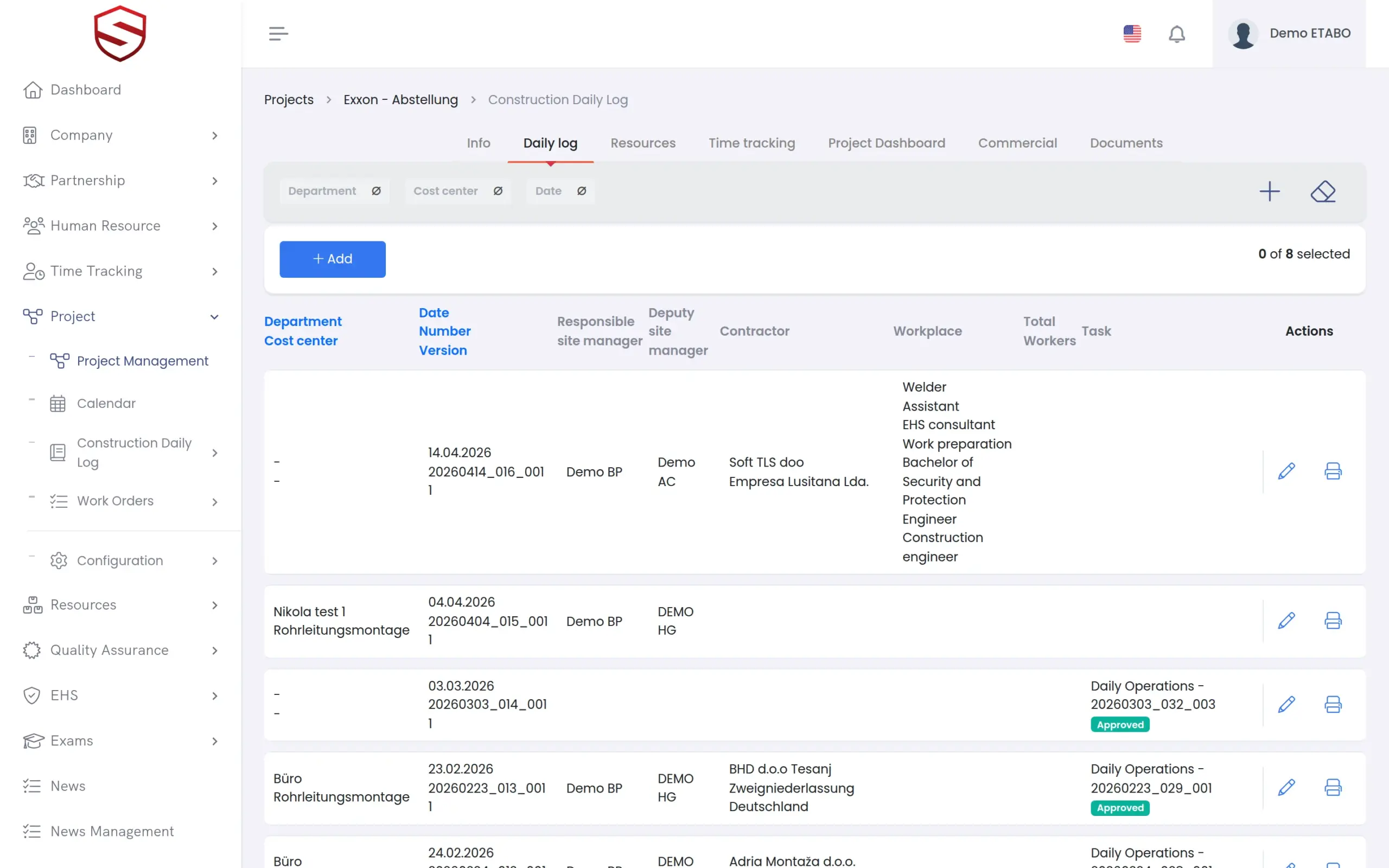
A daily record that is built from facts, not memory
Who worked, on which tasks, with what equipment, what was delivered, what the weather did and what stopped the work. Task types and fields are configurable per company, and the log prints as a dated PDF for the client file.
- Configurable task types and fields
- Attendance and hours pulled from time tracking
- Photos and notes from the phone
- Per-task approve/reject with versions, and in-app or uploaded sign-off
Project overview
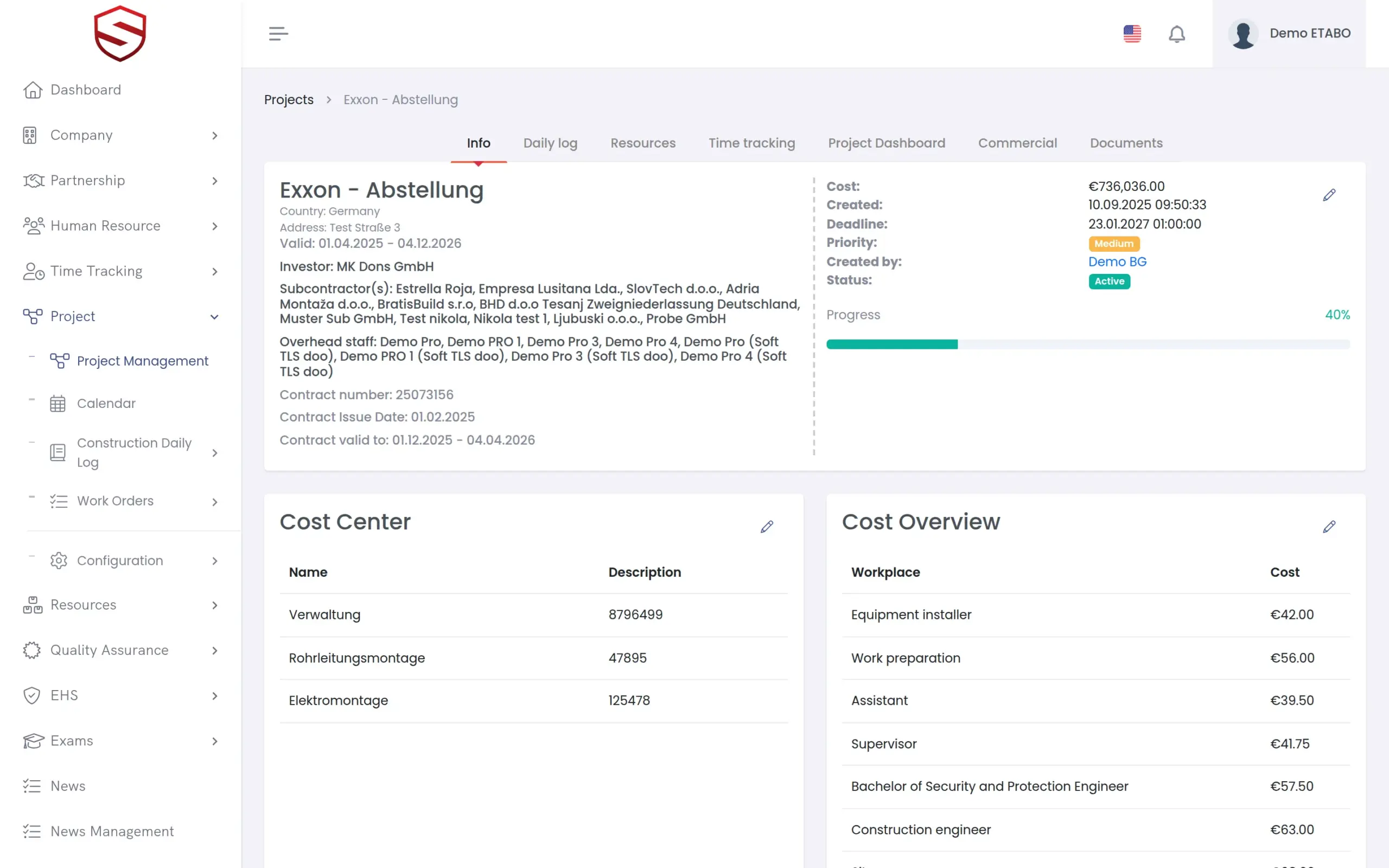
One page per project: people, hours, resources, documents, status
Assign employees and partner workers, allocate equipment and vehicles, see time spent against plan, and keep the project documents and the calendar in the same place. Summaries roll up per project and per role.
- Project calendar and planner
- Resources and people on the project
- Time tracking summary per project
- Print and PDF for work orders and tasks
Works together with
Time tracking
Hours booked on tasks roll up to the work order and the project as actual time.
Equipment, inventory and fleet
Equipment is allocated to the project, and consumption is booked against the work order that used it.
HSE and risk management
Risk assessments and incidents belong to the project and site where they happened.
Frequently asked questions
Is this a full project management suite?
It is the operational layer: work orders, tasks, time, resources, daily log and documents, with approvals. Portfolio views, phases and milestones are part of the next Project version in development.
What happens after a work order is closed?
It becomes final: a completed, cancelled, stopped or manually closed work order is read-only from that point on. Changes before closing go through a change request with a full before/after record and an approval; corrections to logged progress are always new ledger rows, never overwrites. If more work is needed afterwards, it goes on a new work order.
Do foremen need a laptop?
No. Tasks, progress, blockers, photos and the daily log are handled from the mobile app.
Can the client see the daily log?
You decide. Print it as PDF per day or period, or give the client a restricted account that sees the project’s log and documents only.